Lightscreen AI VS Hyring
Lightscreen AI vs Hyring:
A Detailed Comparison
Written on: 02 Mar 2026
Last updated: 29 Sep 2026

Written by
Rakesh Kumar

Fact Checked by
Adithyan RK
Table of Contents
- Lightscreen AI vs Hyring: A Detailed Comparison
- An Overview
- Why Hiring Teams Migrate From Lightscreen AI To Hyring
- Lightscreen AI vs Hyring - Metrics Comparison
- Ecosystem: Products & Hiring Workflow
- Lightscreen AI vs Hyring: A Snapshot
- Deepdive: Hyring vs Lightscreen AI
- Conversational AI Interviewing
- Candidate Authenticity & Proctoring
- Scoring, Fairness & Bias Reduction
- Assessment Types & Role Coverage
- Scheduling & Automation
- Reporting & Hiring Analytics
- Global Hiring & Accessibility
- The Human Touch: Lightscreen AI vs Hyring
- UI UX Experience
- Recruiter Experience
- Candidate Experience
- Security & Compliance
- Cost & Pricing Structure
- Conclusion: Which Is the Best AI Interviewer?
- Frequently Asked Questions
An Overview
When recruiters start looking at alternatives to Lightscreen AI, the reasons tend to follow a pattern. They want more assessment depth across roles, while also needing documented proctoring signals inside their reports. They want pricing they can see before a sales call, and want integration that works with their existing stack without a custom build.
Hyring's product area is the recruitment workflow itself - screen, assess, decide. Lightscreen AI's product area is frontline operational hiring - intake, background checks, and scheduling.
Why Hiring Teams Migrate From Lightscreen AI To Hyring
Lightscreen AI is designed for enterprise frontline hiring. This fundamental strength makes it excellent at high-volume hiring and scaling for a particular set of industries.
Where it becomes more challenging is when hiring teams require more than just frontline support. No AI phone screen, AI coding interview, nor English proficiency test. Limited public information on proctoring, scoring rubrics, and reporting complexity. There aren't any listed profiles on Trustpilot, Capterra, or G2 for third-party verification, publicly available pricing or help centre either.
This set of missing pieces is what typically drives hiring teams to Hyring. The fundamental problem they are solving is not frontline scaling. It is managing a comprehensive hiring process with open assessment, recruiter flexibility, and clear data throughout no matter the scale.
Lightscreen AI vs Hyring - Metrics Comparison


Ratings change over time. Review live pages for the latest updates.
Ecosystem: Products & Hiring Workflow
Both platforms structure their product ecosystems around hiring, but the fundamentals of each are quite different. What follows is based on publicly available product pages and documentation.
Hyring Review
Product Ecosystem
Hyring built its ecosystem around the full screening-to-hire arc. Five core modules sit at the centre of that:
AI Video Interviewer
Asynchronous and live two-way video interviews with dynamic follow-ups that adapt to candidate responses.
AI Phone Screener
AI Coding Interviewer
AI Resume Screener
English Proficiency Test

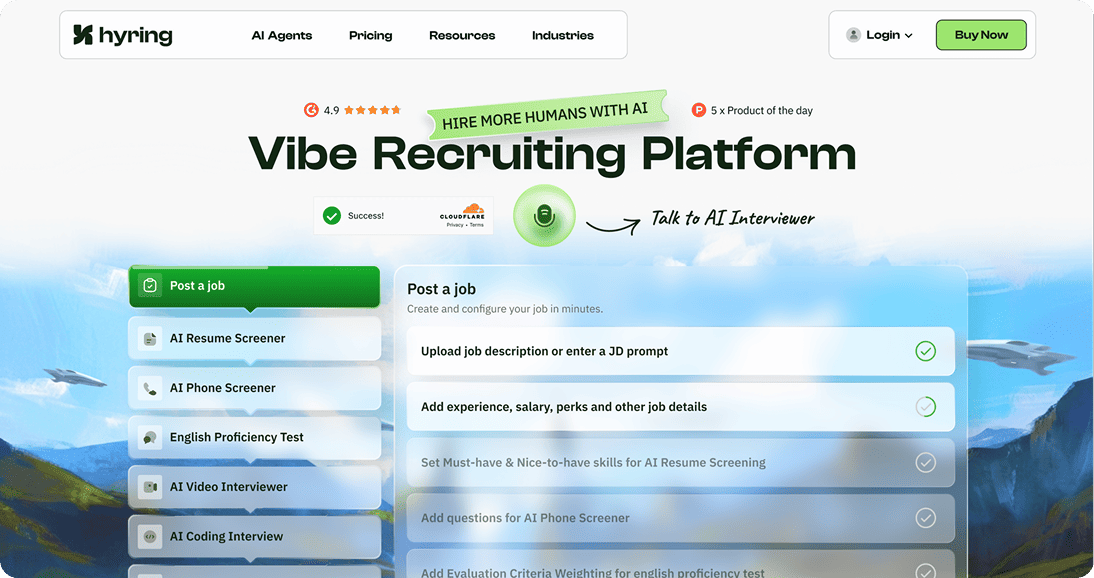
These work together as a single screening system. A recruiter does not need to stitch separate tools together.
Brief
Hyring works well for bigger teams and MNCs that need to hire at scale. Built for speed and structure, without pulling humans out of the decision loop.
PROS
- Cuts early-stage screening time significantly
- Consistent, structured interviews across roles
- Integrity signals visible right inside the reports
- Clear summaries that hiring managers can act on
- Quick rollout for recruiting teams
CONS
- Less useful for very small teams
- Best value shows at moderate to high volume
- Does not replace an ATS
TAKEAWAY
Hyring works well for bigger teams and MNCs that need to hire at scale. Speed and structure, yes. But without pulling humans out of the decision loop.
Lightscreen AI Review
Product Ecosystem
Lightscreen AI orients its ecosystem toward frontline hiring at volume. Based on what is publicly available, the capabilities include:
AI Interviewer
Automated screening interviews for frontline and enterprise hiring.
AI Resume Screener
Role-specific Templates
Background Checks
Scheduling & ATS Integration
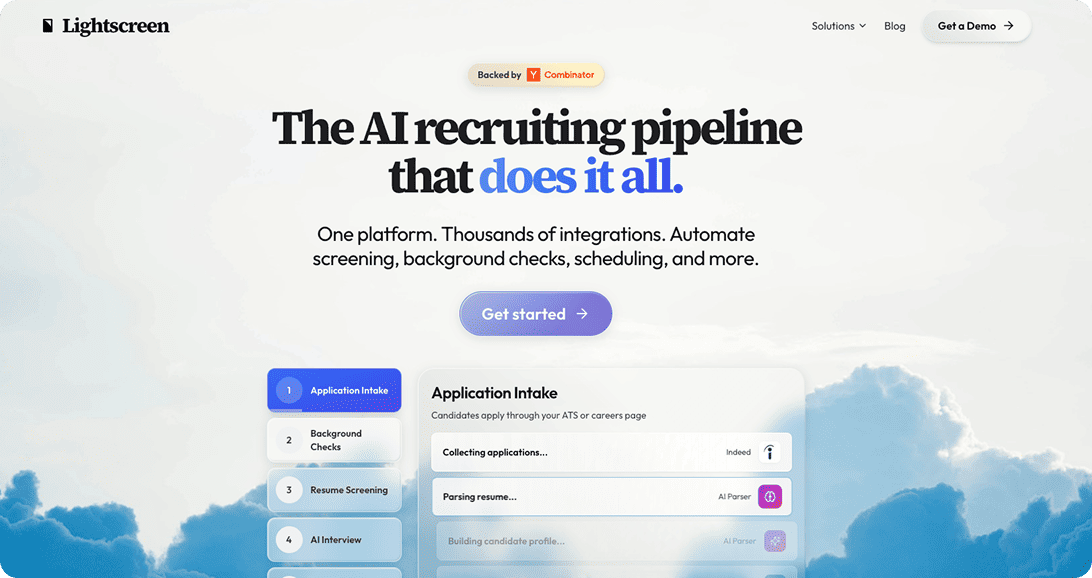
The focus here is enterprise frontline hiring. Deep technical assessment or multi-format screening is not the primary design goal.
Brief
Lightscreen AI fills a specific niche in frontline enterprise hiring. Teams whose needs stretch beyond that niche, especially those hiring across both tech and non-tech roles, will run into its limitations fairly quickly.
PROS
- Strong focus on frontline volume hiring
- Background checks built into the flow
- Role templates for target frontline industries
CONS
- No AI phone screener
- No AI coding interviewer
- No English proficiency test
- Limited public data on proctoring, scoring, and analytics
TAKEAWAY
Lightscreen AI fills a specific niche in frontline enterprise hiring. Teams whose needs stretch beyond that niche will run into its limitations fairly quickly.
Bottom Line
Hyring gives you modular recruiting tools that cover high-volume and role-based hiring from first screen to final handoff.
Lightscreen AI gives you frontline hiring operations with a focus on intake, background checks, and scheduling.

Hyring excels at: Recruiter-driven screening, multi-format assessment, interview integrity, and fast hiring decisions across a range of roles.

Lightscreen AI excels at: Frontline volume hiring, background verification, and operational scheduling for enterprise deployments.
Both ecosystems target hiring. They serve fundamentally different workflow priorities.
Lightscreen AI vs Hyring: A Snapshot
Feature / Capability
Lightscreen AI
AI Interviewer
AI Phone Screener
AI Resume Screener
AI Coding Interviewer
English Proficiency Test
Conversational AI interviewing (adaptive follow-ups)
Limited public data
Dynamic follow-up questions
Limited public data
Asynchronous video interviews
Limited public data
Phone-based screening
Candidate authenticity and proctoring
Limited public data
Identity verification / liveness checks
Limited public data
Role-specific interview templates
Technical and coding assessments
High-volume automation
Structured scoring and rubrics
Limited public data
Hiring analytics and reports
Limited public data
ATS integrations and APIs
Multilingual support
Limited public data
Enterprise security (SOC2 / ISO)
Limited public data
Live human support and onboarding
Limited public data
Free trial
Not publicly disclosed
Ratings change over time. Review live pages for the latest updates.
Deepdive: Hyring vs Lightscreen AI
Conversational AI Interviewing

Hyring
Two-way video interviews and phone interviews - both with follow-ups that shift based on what the candidate actually says. The scoring engine looks at speech patterns, content depth, and role fit. Not just keywords. A recruiter screening 200 candidates for a mid-level ops role gets a shortlist in hours, ranked and ready.

Lightscreen AI
The platform has an AI interviewer. Public documentation on whether it supports adaptive follow-ups or conversational depth is thin. And there is no phone-based screening. That cuts the conversational formats a recruiter can use down to one.
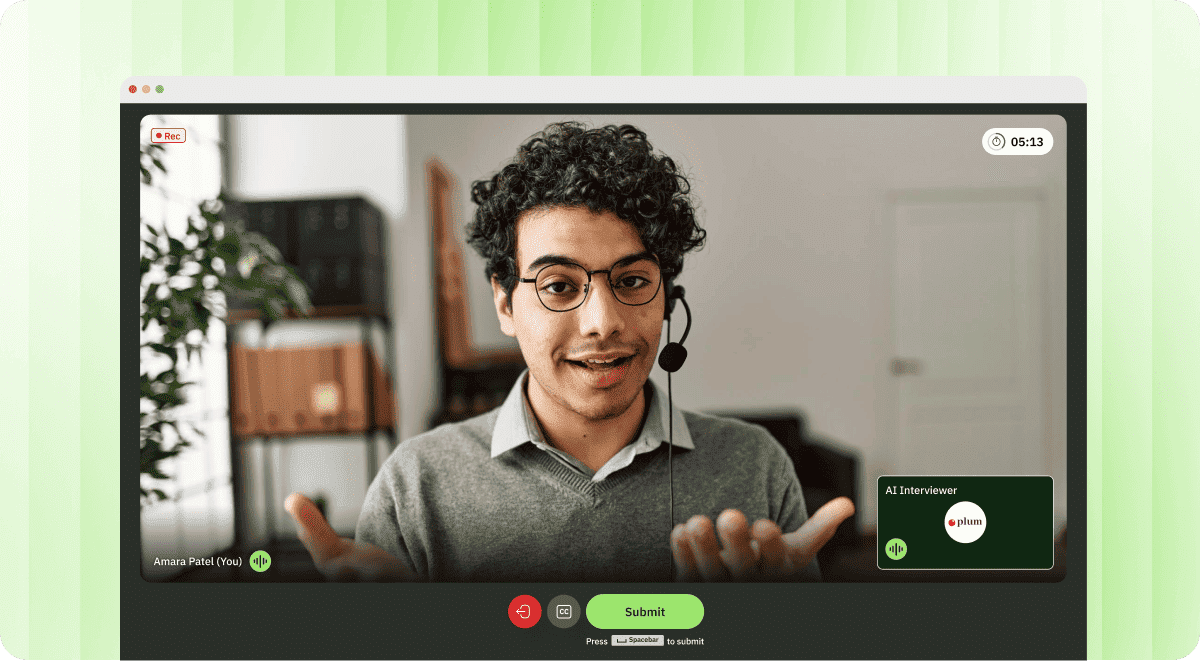
Hyring. Three interview formats (video, phone, adaptive dialogue) versus one. Teams weighing alternatives to Lightscreen AI for interview quality will feel this gap early in their evaluation.
Candidate Authenticity & Proctoring
Hyring
Face-detection, gaze tracking, audio detection, background app tracking - every one of these signals is mentioned directly in the recruiter's report. When a recruiter opens a flagged interview, the trigger is visible. Was it a tab switch? A second voice? Or a gaze drop at a suspicious moment? The recruiter sees it all. Fraud detection stays transparent without turning the candidate experience hostile.
Lightscreen AI
Background checking is part of the platform. Interview-level proctoring - the kind that catches tab switches or secondary audio sources during a live assessment - is not documented in public materials. Hard for buyers to gauge how Lightscreen AI handles real-time authenticity.
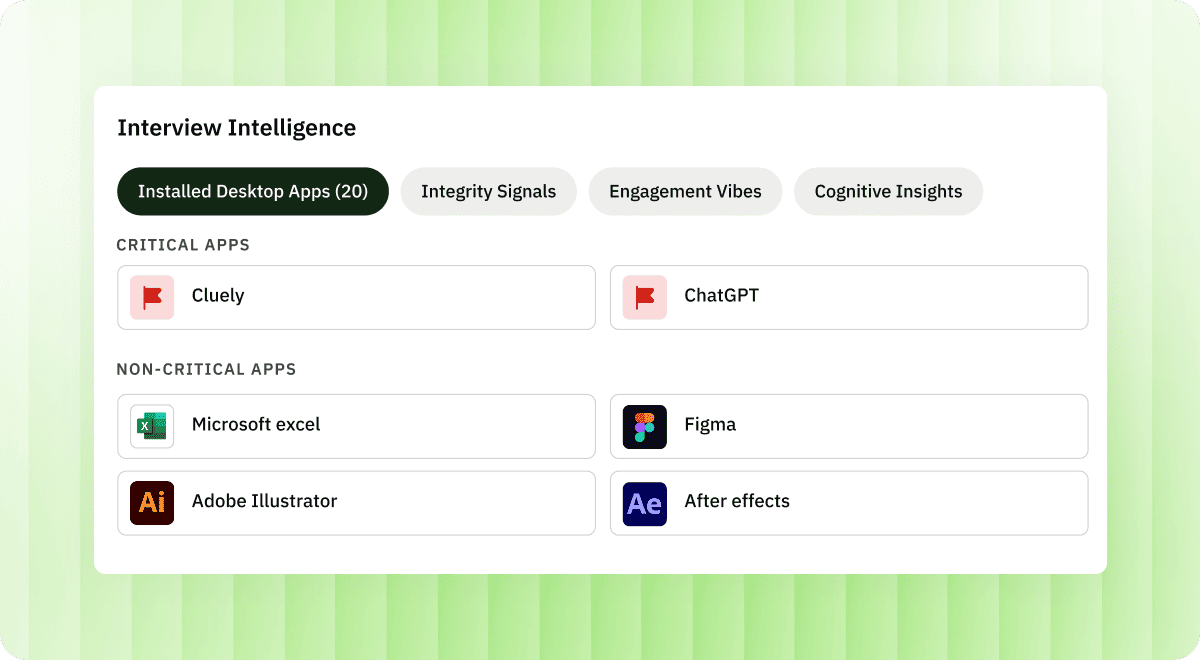
Hyring. Proctoring signals embedded in recruiter reports give a clear basis for trust decisions. Without documented proctoring, recruiters are left making judgment calls with less information. Most teams cannot afford that trade-off.
Scoring, Fairness & Bias Reduction
Hyring
Sentiment insights, job-fit metrics, intelligence indicators - all structured by competency, with full transcripts attached. Any score can be overridden by the recruiter. When screening 500 candidates for the same role, consistency across all 500 evaluations is what separates a defensible hiring decision from a disputed one.
Lightscreen AI
Scoring rubrics, bias controls, and fairness mechanisms are not detailed in publicly accessible materials. A recruiter evaluating Lightscreen AI for a regulated industry would have a hard time answering basic compliance questions about score generation.
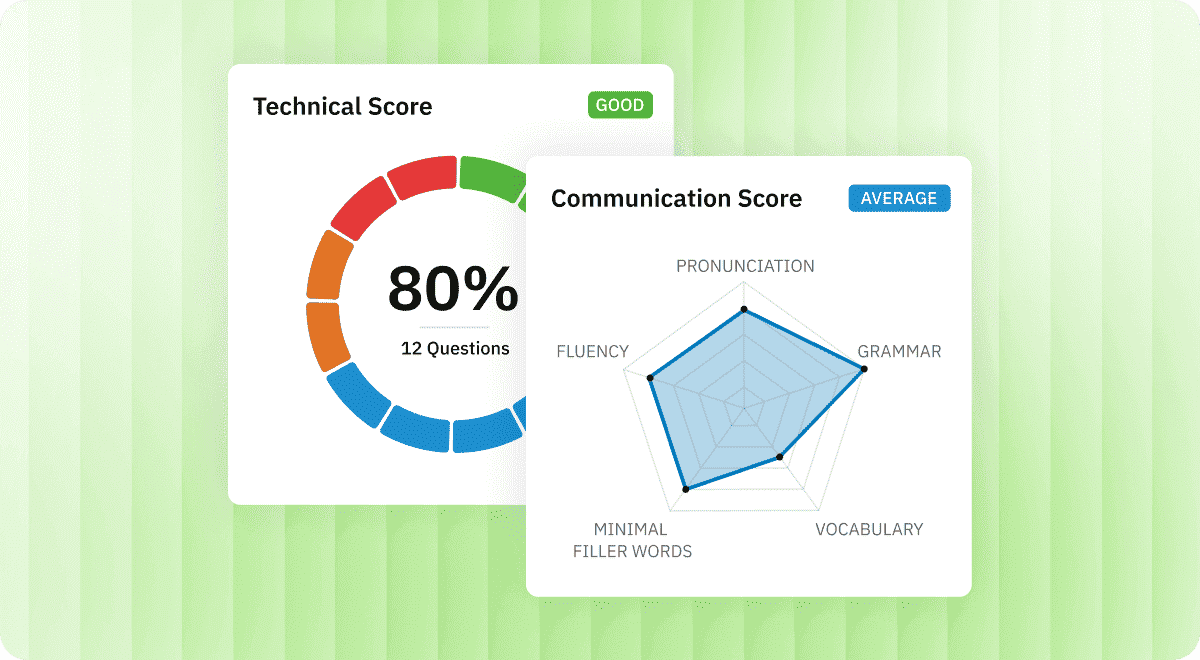
Hyring. Transparent scoring with human override is table stakes for defensible hiring. Hyring delivers that clearly. The documentation gap on Lightscreen AI's side becomes a practical blocker during procurement.
Assessment Types & Role Coverage
Hyring
Five assessment modules under one roof. Coding interviews for developers. Language and communication tests for customer-facing hires. Scenario interviews for operational positions. Templates run from entry level through senior - the product manager, the junior developer, the call centre agent. One platform covers all three without bolting on extra tools.
Lightscreen AI
Role-specific templates for four main frontline industries. Technical assessments available. But no standalone AI coding interviewer, no AI phone screener, no English proficiency test. Voice screening exists, though not phone-based. Works well within its frontline lane. Stretching it across mixed-role pipelines is where limits show.
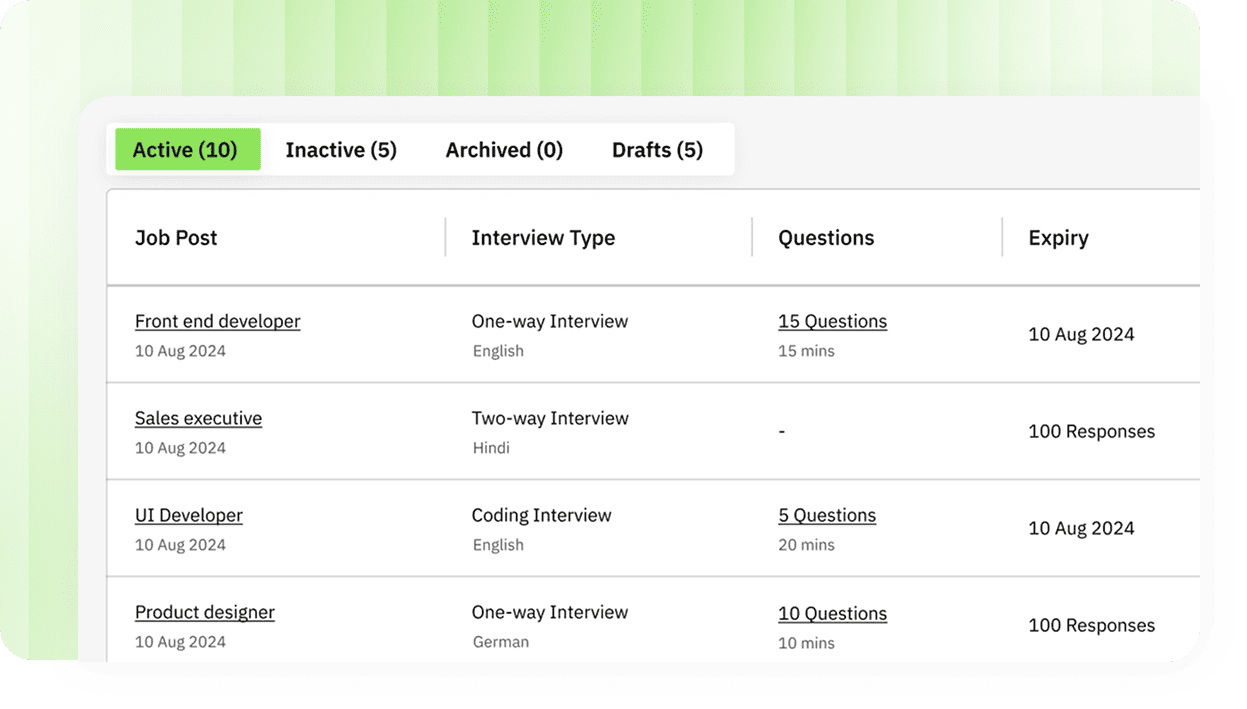
Hyring. Five assessment modules versus a narrower frontline toolkit. That breadth matters the moment your hiring spans more than one type of role. Among Lightscreen AI alternatives, Hyring covers the widest ground.
Scheduling & Automation
Hyring
Scheduling automation is baked in. API connectivity pushes and pulls candidates into ATS workflows. Bulk invites, automated reminders. A recruiting team running a 2,000-candidate campaign across three time zones sets it up once. The system handles coordination from there.
Lightscreen AI
Scheduling sits inside the dashboard alongside ATS connectivity. A stated strength. For frontline hiring volume, the operational workflow handles it well.
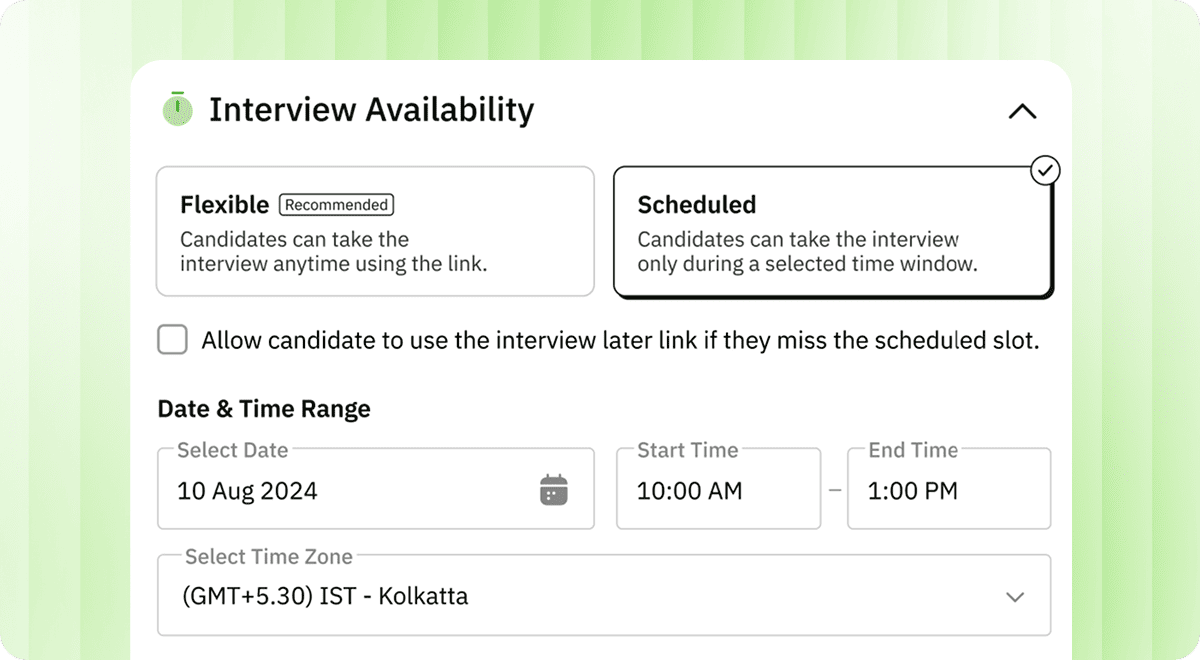
Both platforms handle scheduling. Where Hyring pulls ahead is in coupling that scheduling with multi-format interviews and API-driven ATS sync. Teams hiring across role types get wider utility from Hyring's approach.
Reporting & Hiring Analytics
Hyring
Reports carry sentiment insights, job-fit scoring, proctoring flags, competency breakdowns, full transcripts. A hiring manager who missed the interview reads the report and makes a shortlist call in minutes. No bottleneck between screening and decision.
Lightscreen AI
Reporting depth is not documented in publicly available materials. Assessment outputs likely exist. The structure and recruiter-readiness of those outputs remains unclear.
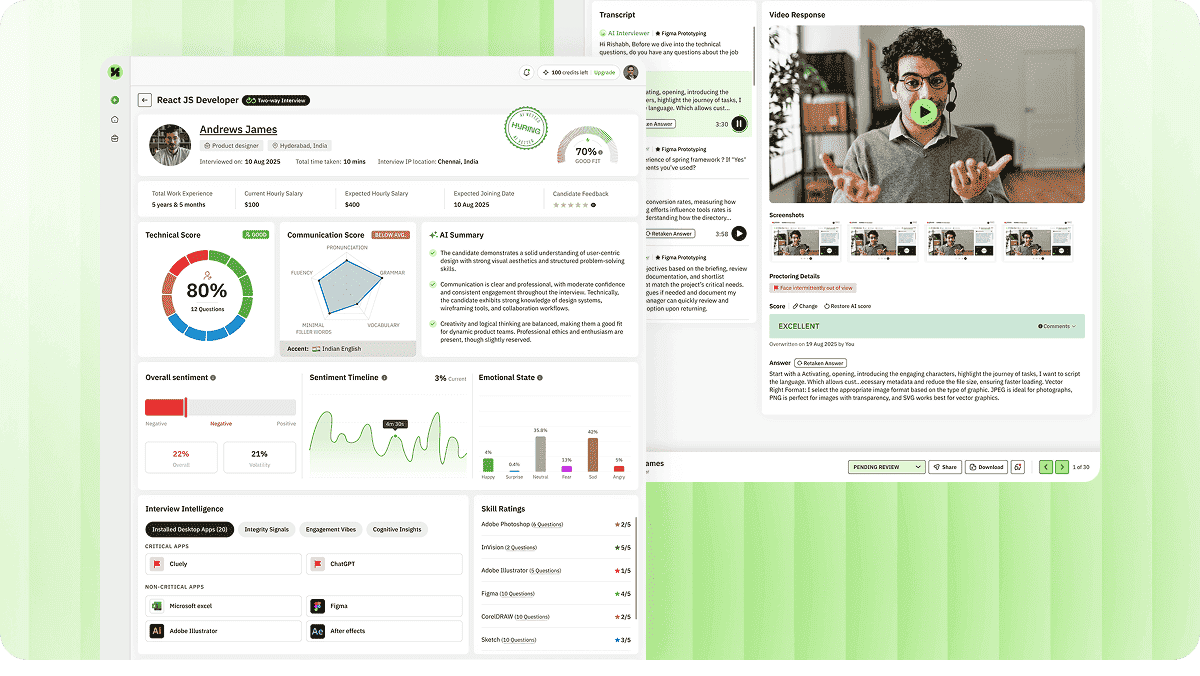
Hyring. It delivers what a hiring manager can use to act on without sitting through the interview. That is a concrete workflow advantage, and among Lightscreen AI alternatives, it is a clear differentiator.
Global Hiring & Accessibility
Hyring
Multilingual interviews in 10+ languages. Optimized candidate flows. A recruiter based in London hiring customer support agents in Manila and Bogota can run the same structured interview in three languages. One dashboard.
Lightscreen AI
The platform operates globally in the enterprise space. But multilingual interview screening is not documented in public materials. Language support specifics would need to be confirmed directly with the vendor.
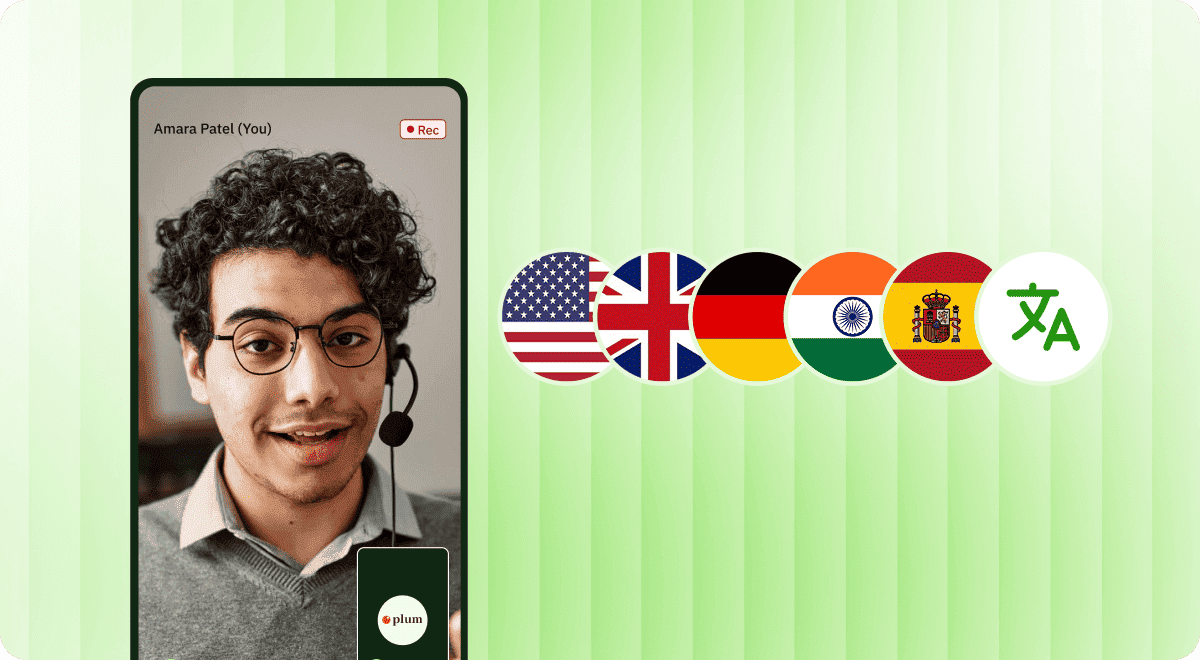
For global or multilingual recruiting, Hyring is the better-equipped platform. Without public data on language support from Lightscreen AI, international hiring teams are left without clear answers.
The Human Touch: Lightscreen AI vs Hyring
Hyring
Hyring's workflow involves substantial human handover at critical points. Recruiters assess flagged proctoring incidents, override AI scores when judgment demands it, follow up on interviews, and guide final decisions. These human steps are clearly indicated across the platform. The intent is to keep human judgment at the centre of every hiring decision while letting AI handle the repetitive screening load.
Lightscreen AI
Lightscreen AI automates intake, background checks, and scheduling. Human involvement likely occurs at the enterprise level, but the specific points where recruiter judgment enters the workflow are not well-documented publicly.
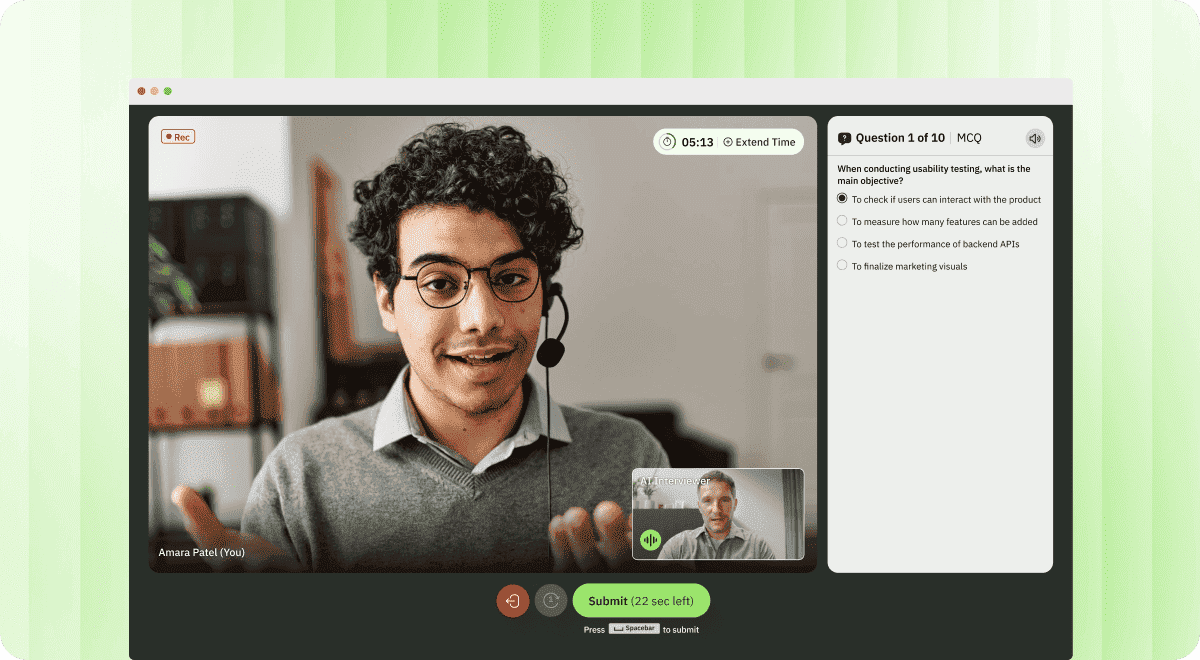
Hiring decisions carry legal, ethical, and reputational weight. Hyring is intentionally designed to keep humans in control at every critical decision point, with AI supporting rather than replacing the recruiter's judgment. This makes Hyring the more trusted choice for real-world recruitment.
UI UX Experience
Recruiter Experience
Hyring
Hyring's recruiter dashboard is built for a short learning curve. Building interview flows, launching campaigns, and reviewing results follow a clear path (create interview, launch, review). Product documentation and the help centre make common tasks easily discoverable.
Lightscreen AI
Lightscreen AI provides a dashboard with ATS integration. Given its enterprise-only positioning, onboarding and integration processes may require more setup time. Public documentation on the recruiter experience is limited.
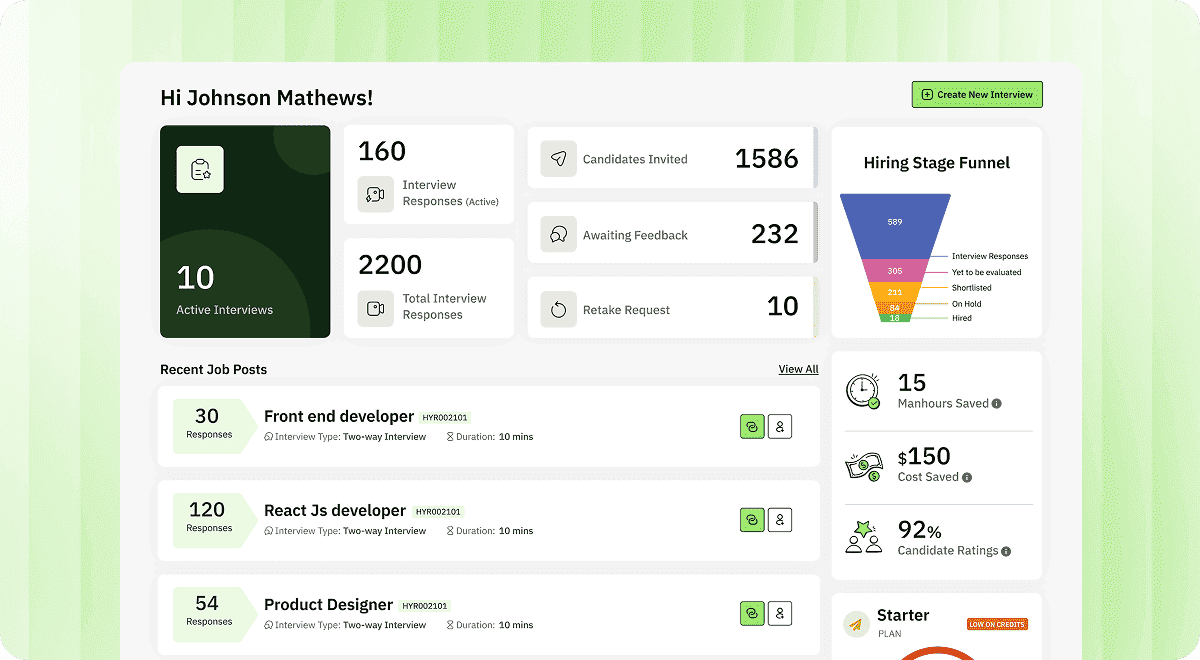
Hyring. A recruiter dashboard that is intuitive and well-documented reduces time to value. For teams evaluating Lightscreen AI alternatives, the ramp-up time difference can be significant.
Candidate Experience
Hyring
Hyring offers both asynchronous and live two-way experiences. Proctoring is designed to balance fraud detection with candidate comfort. Recruiters can calibrate tolerances based on documented feature settings. One-way interviews are available for less intense job roles, reducing candidate friction where appropriate.
Lightscreen AI
Public data on Lightscreen AI's candidate experience is limited. As an enterprise platform, candidate flows may vary by implementation.
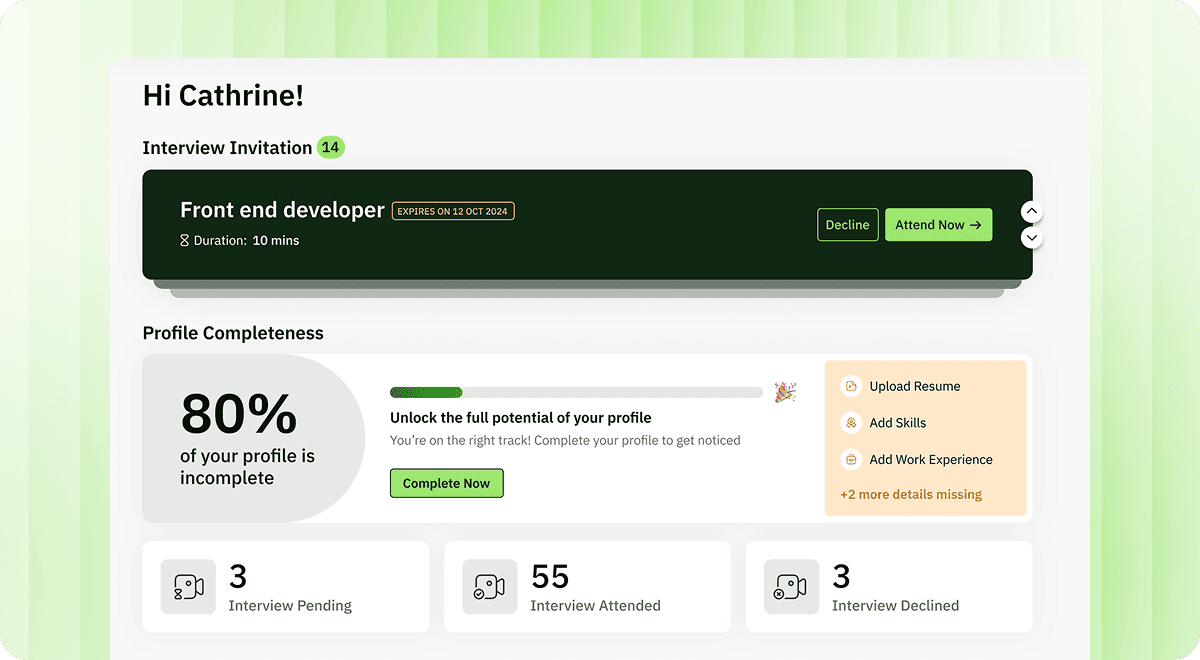
Hyring. A well-documented, flexible candidate experience (live, async, one-way, phone) gives recruiters more control over how candidates interact with the platform. This is a practical advantage for teams looking at Lightscreen AI alternatives.
Security & Compliance
Data Protection
Hyring
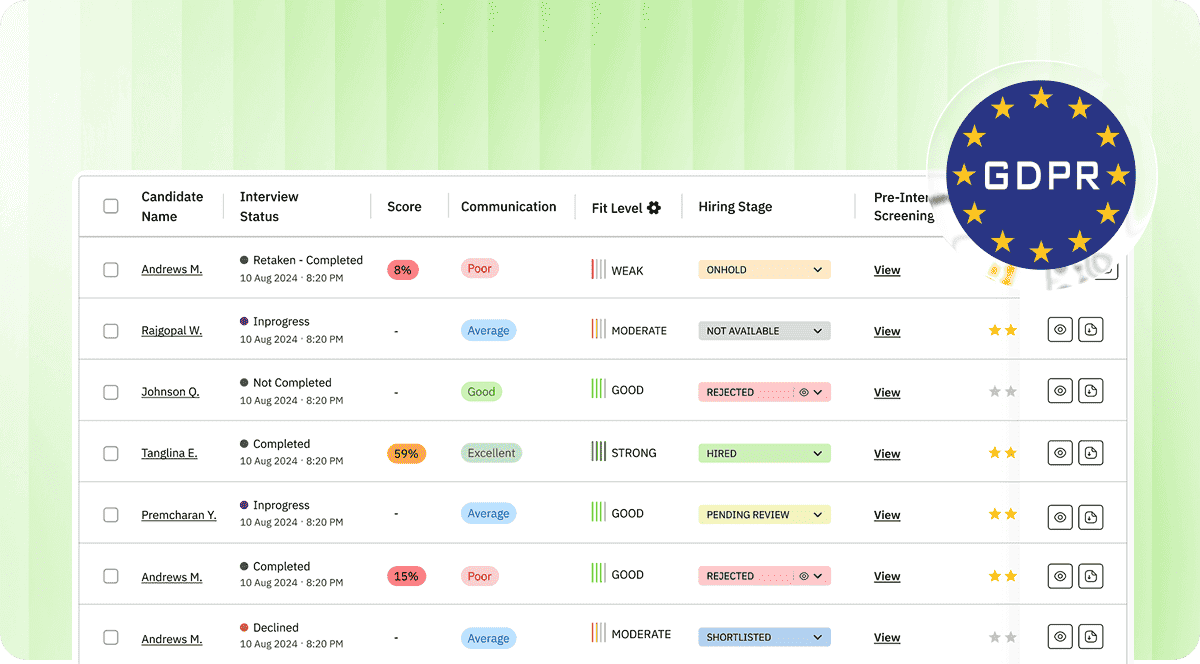
Both platforms operate in the enterprise space. Hyring marks enterprise-grade security on its use cases and provides help centre articles explaining data handling. For regulated workflows (healthcare hiring, financial services), formal compliance evidence and data residency options should be evaluated during commercial discussions.
Lightscreen AI
Lightscreen AI's public data on enterprise security (SOC2/ISO) is limited based on available materials.
Compliance & Certifications
Hyring
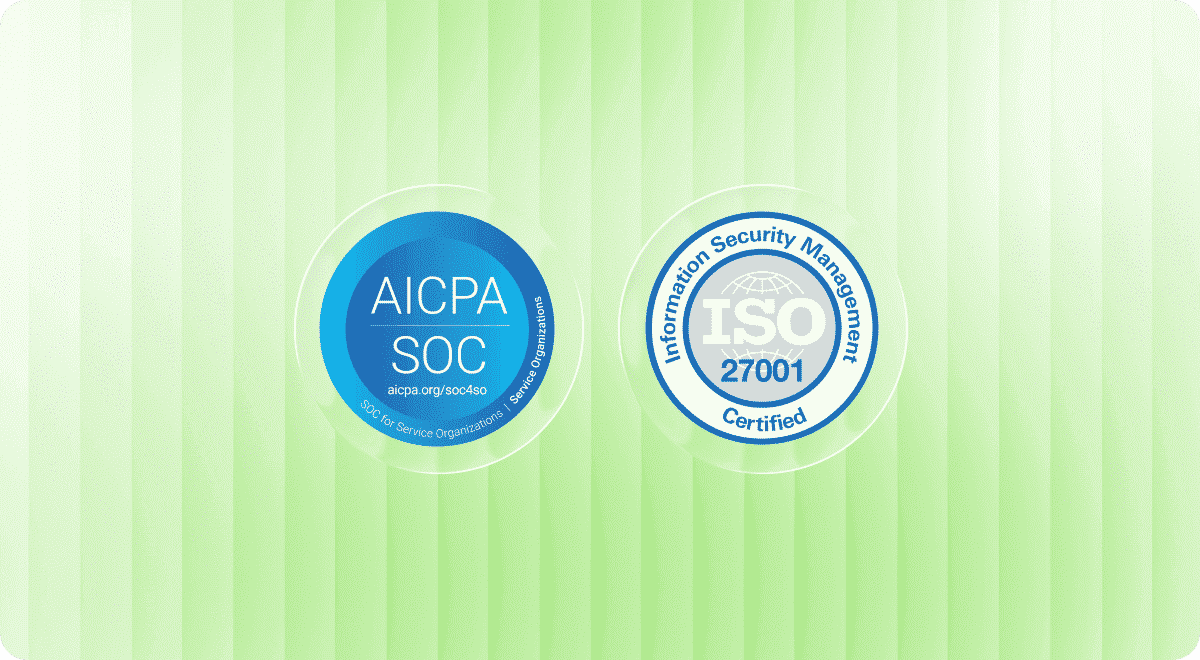
Hyring holds the highest enterprise-grade security certifications, including SOC2 and ISO 27001. For organizations evaluating security in the context of hiring operations, Hyring is the more documented and transparent option.
Lightscreen AI
Lightscreen AI's compliance certifications are not well-documented in publicly available materials. Teams in regulated industries should request formal compliance documentation before proceeding.
Candidate Privacy
Hyring
Hyring focuses on retention, reporting, and candidate transparency in its help articles. These details are recruiter-accessible without needing an enterprise contract review.
Lightscreen AI
Lightscreen AI's privacy details would need to be confirmed through direct engagement.
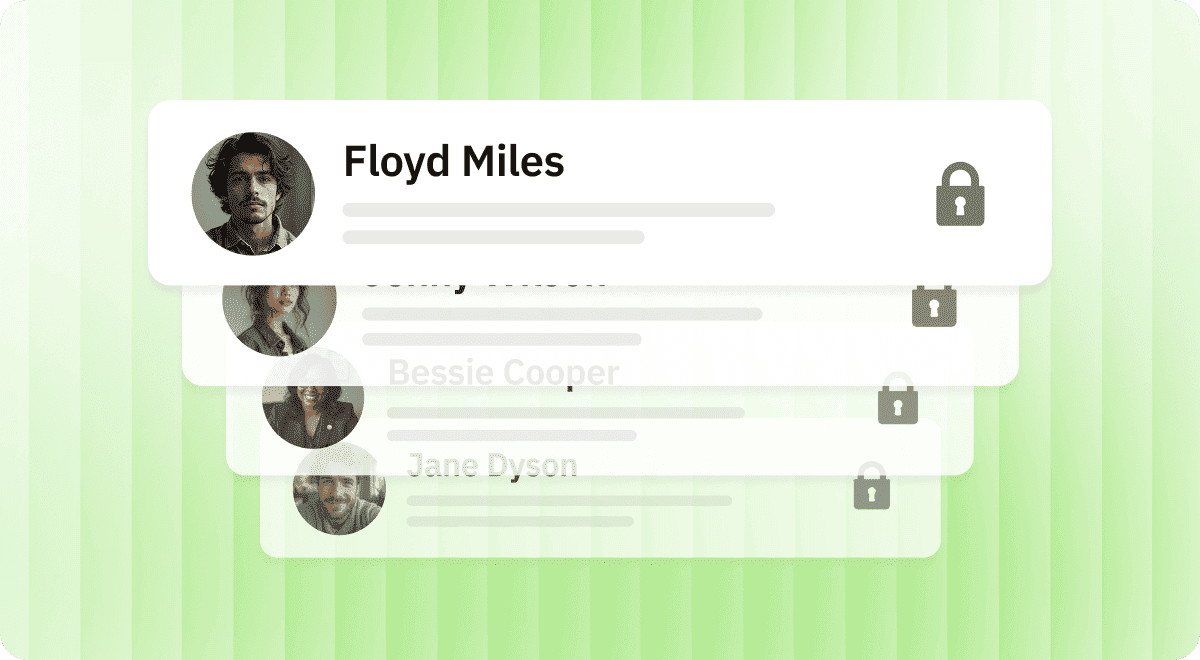
Hyring's compliance and data-handling practices are built specifically around candidate interviews, recruiter workflows, and hiring data. For organizations evaluating security in the context of hiring operations, Hyring is the more documented and transparent option among Lightscreen AI alternatives.
Cost & Pricing Structure
Pricing Model
Hyring uses a usage-based pricing model aligned to interview volume. Costs are predictable and scalable for teams running high-volume or role-diverse hiring campaigns. Organizations pay based on screening activity (number of interviews, credits used, volume of candidates screened) rather than a fixed seat count per recruiter per month.
Pricing translates directly to cost per interview, starting around $1 to $5+ per interview for larger volumes. Recruiters and finance teams can estimate cost per hire based on interview volume and hiring funnel design.
Lightscreen AI's pricing is not published. This can make budgeting less transparent for recruiting teams accustomed to usage-based models. Teams would need to engage directly for pricing details.
Transparency
Published pricing removes a procurement friction point that unpublished pricing introduces. For recruiting teams that need clear, scalable cost structures, Hyring's usage-based model is easier to plan around.
Lightscreen AI follows an enterprise pricing model. Costs are typically structured around scope and integration complexity rather than per-interview usage.
Pricing Model
Hyring uses a usage-based pricing model aligned to interview volume. Costs are predictable and scalable for teams running high-volume or role-diverse hiring campaigns. Organizations pay based on screening activity (number of interviews, credits used, volume of candidates screened) rather than a fixed seat count per recruiter per month.
Pricing translates directly to cost per interview, starting around $1 to $5+ per interview for larger volumes. Recruiters and finance teams can estimate cost per hire based on interview volume and hiring funnel design.
Lightscreen AI's pricing is not published. This can make budgeting less transparent for recruiting teams accustomed to usage-based models. Teams would need to engage directly for pricing details.
Transparency
Published pricing removes a procurement friction point that unpublished pricing introduces. For recruiting teams that need clear, scalable cost structures, Hyring's usage-based model is easier to plan around.
Lightscreen AI follows an enterprise pricing model. Costs are typically structured around scope and integration complexity rather than per-interview usage.
More details are available at Hyring Subscription Plans. For teams comparing Lightscreen AI vs Hyring on cost, Hyring offers pricing clarity that is hard to match at scale.
Conclusion: Which Is the Best AI Interviewer - Lightscreen AI or Hyring?

Where Hyring Is Stronger
Recruiter-owned workflows. Video interviews, phone, and coding interviews with transparent proctoring, structured scoring, and role-ready assessment templates. Public API and ATS integration documentation. Usage-based pricing that makes scaling evaluation-friendly.
Multi-format assessment. Five distinct assessment modules (AI video interviewer, AI phone screener, AI coding interviewer, resume screening, English proficiency test) cover the full range of tech and non-tech hiring needs.
Transparency. Published pricing, verified review profiles on Trustpilot, Capterra, and G2, a live help centre, and monthly product updates.
Choose Hyring if:
you run high-volume or role-varied hiring and want transparent proctoring, recruiter dashboards, multi-format interviews, and easy ATS integration.
Where Lightscreen AI Is Strong
Frontline volume hiring. Intake copiloting, background checks, and scheduling integrated into a single enterprise platform. Role templates for four main frontline industries.
Operational scaling. Built for enterprises that need to move large numbers of frontline hires through a streamlined process quickly.
Choose Lightscreen AI if:
your primary need is frontline enterprise hiring with a focus on intake, background checks, and operational scheduling.
For organizations deciding between the two, Hyring is the clearer choice when the goal is effective, scalable hiring across diverse roles with full recruiter control.
Disclaimer: Information is sourced from public records and is subject to change. This comparison does not constitute a guarantee of current service offerings or specifications.
Frequently Asked Questions
Can Hyring or Lightscreen AI replace human recruiters?
No. Hyring is intentionally designed not to. It augments recruiters by automating screening while keeping humans in control of scoring, review, and final decisions. Lightscreen AI automates operational aspects of hiring. For organizations that want AI support without losing recruiter accountability, Hyring is the more practical option.
Will Hyring or Lightscreen AI work with my ATS, like Greenhouse or Workday?
Hyring provides a robust API that pipes candidate data, interview results, and reports into your preferred ecosystem, whether that is Greenhouse, Workday, Lever, Zoho Recruit, iCIMS, Workable, Ashby, SmartRecruiters, BambooHR, JazzHR, Bullhorn, or SAP. Lightscreen AI integrates into its own dashboard with ATS connectivity. For teams that rely on existing ATS workflows, Hyring's API-driven integration offers more flexibility.
Does Hyring or Lightscreen AI support non-English interviews?
Hyring supports multilingual interviews in 10+ languages for global hiring teams. Public data on Lightscreen AI's multilingual capabilities is limited. For global or multilingual recruiting, Hyring is the better-suited platform.
Is Hyring or Lightscreen AI better for screening software engineers vs sales roles?
Hyring supports developers (coding interviews), sales (communication and scenario assessments), customer support, and operational roles with role-specific interview formats. Lightscreen AI offers templates for four main frontline industries. For most hiring roles across functions, Hyring is more adaptable.
Which platform handles high-volume hiring better when considering Lightscreen AI vs Hyring?
Hyring supports asynchronous interviews, bulk invites, automated reminders, and usage-based pricing for high-volume campaigns. Lightscreen AI is built for frontline volume scaling. Both handle volume, but Hyring covers a wider range of roles and assessment types within those campaigns.
Stop Screening Manually.
Start Hiring Smarter with Hyring.
If this comparison has shown you anything, it's that Hyring is built for the way recruiting teams actually work — fast-paced, high-volume, and demanding real accountability at every step. From AI video and phone screening to built-in proctoring and ATS sync, Hyring gives your team the tools to move faster without cutting corners.
See why hiring teams at scaling companies choose Hyring over Lightscreen AI.
Compare with other platforms