Customer Support OKR Examples That Deliver Exceptional Service
Customer Support OKR Examples That Deliver Exceptional Service
Stop drowning in ticket volume and start building a support operation that drives loyalty. From response efficiency to agent performance to self-service deflection — these OKR frameworks help support leaders turn reactive firefighting into a proactive customer experience engine.
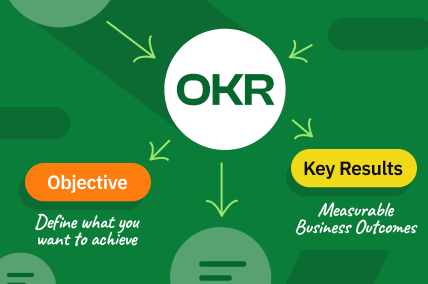
What Are OKRs for Customer Support Teams?
OKRs (Objectives and Key Results) give customer support teams a framework to pursue service excellence beyond just closing tickets faster. Instead of optimizing for speed alone, support OKRs balance response efficiency with resolution quality, agent development, and self-service capabilities — ensuring every customer interaction strengthens retention and brand loyalty.
For support organizations, the power of OKRs lies in shifting from reactive metrics to proactive outcomes. A first response time target is a KPI. The OKR is the strategic initiative behind it: building an intelligent routing system that cuts first response from 4 hours to 15 minutes, implementing a knowledge base that deflects 40% of tickets, or training agents to resolve 85% of issues on the first contact. This evolution from ticket management to experience engineering is what transforms cost centers into competitive advantages.
Whether you manage a 3-person startup support team or a 500-agent global operation, the examples below are designed to be adapted to your ticket volume, channel mix, and product complexity. Each objective is outcome-oriented, each key result is measurable, and every example includes the context you need to make it your own.
Interactive OKR Examples
Reduce average first response time from 8 hours to under 1 hour across all support channels
Build the foundational support infrastructure with proper routing, prioritization, and staffing to ensure every customer gets a meaningful first response within 60 minutes.
Improve ticket resolution rate to 80% within 4 hours through better tooling and knowledge access
Equip agents with faster access to customer context, product documentation, and escalation paths so they can resolve issues in fewer touches and shorter timeframes.
Achieve 99.5% SLA compliance across all enterprise support tiers with zero P1 breaches
Tighten enterprise SLA adherence by implementing proactive monitoring, automated escalation, and dedicated support pods for top-tier customers.
Build an omnichannel support system unifying email, chat, phone, and social into a single queue
Eliminate channel silos by implementing a unified support platform that gives agents a single view of all customer interactions regardless of the channel used.
Reduce ticket backlog from 500 to under 50 and maintain real-time queue health weekly
Eliminate the chronic ticket backlog that degrades customer experience by implementing capacity planning, workflow optimization, and proactive queue management.
Implement intelligent ticket prioritization that routes 95% of critical issues to senior agents within 5 minutes
Deploy ML-based ticket classification that identifies critical issues from ticket content and routes them to the most qualified agents instantly, preventing escalation delays.
Scale support capacity from 200 to 500 daily tickets without adding headcount through automation
More than double support throughput by automating repetitive workflows, implementing macros, and building integrations that reduce manual work per ticket.
Reduce multi-touch tickets from 45% to 20% by improving first-contact resolution capabilities
Attack the root cause of excessive ticket touches by empowering agents with better tools, training, and authority to resolve issues completely on the first interaction.
Deploy a predictive support system that resolves 30% of issues before customers submit tickets
Use product telemetry and customer behavior data to identify and address issues proactively, reaching out to customers with solutions before they even contact support.
Build a 24/7 support operation covering all time zones with under 15-minute first response globally
Establish round-the-clock support coverage through a combination of distributed teams, follow-the-sun staffing, and AI-assisted after-hours handling.
Achieve sub-30-second live chat response time with AI co-pilot handling 50% of initial responses
Deploy an AI co-pilot for live chat agents that drafts initial responses, suggests solutions, and handles straightforward inquiries autonomously while seamlessly handing off complex issues to humans.
Build a real-time support operations command center with predictive staffing and dynamic queue management
Create an operations intelligence layer that predicts ticket surges, automatically adjusts staffing, and dynamically routes work to maintain SLA compliance across all channels and segments.
Build Your Own OKR
Select a focus area for your OKR:
#RecruitingPartner
Join as freelance recruiter.
Get clients, AI tools & 65% of commissions


OKR Scoring Calculator
Use Google's 0.0 to 1.0 scoring scale to evaluate your customer support OKRs at the end of each quarter. A score of 0.7-1.0 means the key result was delivered, 0.3-0.7 means meaningful progress was made, and 0.0-0.3 signals a miss that needs root cause analysis. The sweet spot is landing between 0.6 and 0.7 on average — if you consistently score 1.0, your OKRs are not ambitious enough.
Overall Score
Top 5 OKR Mistakes Customer Support Teams Make
Don't do this:
KR: Reduce average handle time from 20 minutes to 8 minutes across all tickets
Do this instead:
KR: Reduce average handle time from 20 to 12 minutes while maintaining 90% first-contact resolution and 92%+ CSAT
Pushing handle time down without quality guardrails leads to rushed responses, incomplete resolutions, and more repeat contacts. The fastest way to lower total support cost is not faster responses — it is right responses. Always pair speed metrics with quality metrics.
Don't do this:
Objective: Increase CSAT from 78% to 95% this quarter
Do this instead:
Objective: Increase CSAT from 78% to 90% by fixing the top 3 complaint categories that drive 65% of low scores
A CSAT target without a strategy is wishful thinking. Effective support OKRs first diagnose why CSAT is low, then set improvement targets tied to specific root causes. The 95% target with no plan will fail; the 90% target with a specific action plan has a path to success.
Don't do this:
All KRs focus on tickets per agent, handle time, and cost per ticket
Do this instead:
Balance efficiency KRs (handle time, resolution speed) with experience KRs (CSAT, NPS, customer effort) and quality KRs (accuracy, FCR)
A support team can be incredibly efficient — fast responses, high volume per agent, low cost — while delivering terrible customer experiences. OKRs should balance the three dimensions: efficiency (how fast), effectiveness (how well), and experience (how it feels).
Don't do this:
KR: Deflect 60% of tickets to the chatbot and knowledge base
Do this instead:
KR: Deflect 40% of tickets to self-service with 85% resolution rate and 88% satisfaction on self-served interactions
Aggressive deflection targets without quality guardrails lead to frustrated customers bouncing between unhelpful chatbots and knowledge articles before eventually contacting support anyway — now angrier than before. Self-service success means customers actually get their answer, not just get redirected.
Don't do this:
All OKRs focus on customer metrics with no agent-facing objectives
Do this instead:
Include objectives like: Build a sustainable support culture with agent engagement above 80% and voluntary turnover below 15%
Burned-out agents deliver poor customer experiences. Support organizations with 40%+ annual turnover are constantly training new agents who deliver lower quality at higher cost. Agent engagement, career development, and sustainable workload management are not soft goals — they directly drive customer outcomes.
OKRs vs KPIs for Customer Support: What's the Difference?
| Dimension | OKR | KPI | Customer Support Example |
|---|---|---|---|
| Purpose | Drive ambitious change and strategic improvement | Monitor ongoing operational health | OKR: Build AI chatbot deflecting 40% of tickets. KPI: Track daily first response time. |
| Time Horizon | Quarterly, with defined start and end dates | Ongoing and continuously measured | OKR: Launch self-service portal by end of Q2. KPI: Weekly CSAT score. |
| Ambition Level | Stretch goals — 70% completion is often considered successful | Targets are meant to be hit 100% of the time | OKR: Achieve 70% self-service resolution (stretch). KPI: First response SLA must be met 95% of the time. |
| Scope | Focused on the few priorities that move the needle most | Comprehensive coverage of all key metrics | OKR: 2-3 objectives per quarter. KPI: Dashboard tracking 20+ metrics (FRT, AHT, CSAT, FCR, backlog, etc.). |
| Ownership | Shared across team with individual accountability for key results | Typically assigned to individuals or departments to track | OKR: Team owns 'transform self-service' with KRs for KB, chatbot, and community. KPI: Each agent tracks their personal CSAT and handle time. |
| Flexibility | Can be adjusted mid-quarter based on new learning or market shifts | Generally fixed for the measurement period | OKR: Shift from KB expansion to chatbot after data shows higher deflection potential. KPI: Monthly SLA compliance target stays fixed. |
| Measurement | Progress scored on a 0.0-1.0 scale with 0.7 considered strong | Measured as absolute numbers, percentages, or pass/fail | OKR: Score 0.7 on 'reduce repeat contacts' = success. KPI: First-contact resolution either hits 80% or it doesn't. |
| Alignment | Cascades from company to team to individual to ensure strategic coherence | Often siloed within departments with limited cross-functional visibility | OKR: Company retention goal cascades to support OKR to agent KRs. KPI: Support tracks CSAT; product tracks NPS separately. |
Purpose
OKR: Build AI chatbot deflecting 40% of tickets. KPI: Track daily first response time.
Time Horizon
OKR: Launch self-service portal by end of Q2. KPI: Weekly CSAT score.
Ambition Level
OKR: Achieve 70% self-service resolution (stretch). KPI: First response SLA must be met 95% of the time.
Scope
OKR: 2-3 objectives per quarter. KPI: Dashboard tracking 20+ metrics (FRT, AHT, CSAT, FCR, backlog, etc.).
Ownership
OKR: Team owns 'transform self-service' with KRs for KB, chatbot, and community. KPI: Each agent tracks their personal CSAT and handle time.
Flexibility
OKR: Shift from KB expansion to chatbot after data shows higher deflection potential. KPI: Monthly SLA compliance target stays fixed.
Measurement
OKR: Score 0.7 on 'reduce repeat contacts' = success. KPI: First-contact resolution either hits 80% or it doesn't.
Alignment
OKR: Company retention goal cascades to support OKR to agent KRs. KPI: Support tracks CSAT; product tracks NPS separately.
How to Track Customer Support OKRs Effectively
Weekly Check-in
A focused 15-20 minute sync to review progress on each key result, flag blockers early, and adjust tactics while the quarter is still young enough to course-correct.
- •Score each key result on the 0.0-1.0 scale based on current support metrics and project milestones
- •Review ticket volume trends, SLA compliance, and CSAT scores from the past week for early warning signals
- •Identify any technology, staffing, or cross-functional blockers affecting OKR progress and assign resolution owners
- •Confirm next week's top 3 support improvement actions that will move the needle on lagging key results
Monthly Review
A deeper review to assess trajectory, determine if any OKRs need rescoping, and share learnings across the support team. This is where operational patterns become visible and strategic pivots happen.
- •Analyze month-over-month trends across all support metrics to identify acceleration or deceleration patterns
- •Review top complaint categories and quality audit findings to inform process improvement priorities
- •Align with product team on bug fix priorities, feature requests, and documentation needs surfaced by support data
- •Celebrate agent wins, CSAT improvements, and self-service milestones to maintain team momentum
Quarterly Retrospective
A comprehensive end-of-quarter review where the team scores all OKRs, conducts root cause analysis on misses, extracts lessons learned, and drafts the next quarter's OKRs based on what was discovered.
- •Final-score every key result with supporting data from support platform, QA system, and customer feedback tools
- •Conduct a structured retrospective: what support improvements worked, what did not land, what surprised us
- •Review Voice of Customer data to identify emerging themes that should inform next quarter's support strategy
- •Draft next quarter's support OKRs incorporating customer insights, operational lessons, and company strategic priorities
Frequently Asked Questions About Customer Support OKRs
How many OKRs should a customer support team set per quarter?
Should CSAT and first response time be OKRs or KPIs?
How do you balance speed and quality in support OKRs?
What is the best way to measure self-service success?
Can support teams set OKRs that require product changes?
How should support OKRs account for seasonal ticket volume spikes?
When should a support team invest in AI and automation OKRs?
Is it appropriate to set individual agent OKRs in addition to team OKRs?

Adithyan RK is the Co-Founder and CEO of Hyring, an AI-native recruitment platform that has run over 900,000 AI interviews for companies ranging from early-stage startups to the Fortune 500. He has spent 18 years building technology businesses, starting with a digital consultancy in 2008 and a staff augmentation firm in 2017, before founding Hyring in 2022 to rebuild hiring around evidence instead of guesswork.
Expertise

Surya N is the Co-Founder and CTO of Hyring, where he architected the AI interviewing engine that has now conducted over 900,000 interviews for companies ranging from early-stage startups to the Fortune 500. A mechanical engineer who moved into artificial intelligence, he spent 6 years building AI applications inside a technology consultancy before co-founding Hyring, and wrote the first version of its AI interviewer from scratch: a system that listens, adapts its questioning in real time, and flags fraud rather than following a fixed script.
Expertise
Need the Right People to Hit These OKRs?
The best OKRs mean nothing without the right team. Hyring helps you find, assess, and hire top customer support talent faster — so your ambitious objectives actually get met.
See How Hyring Works