UI/UX Design OKR Examples That Drive Measurable User Impact
UI/UX Design OKR Examples That Drive Measurable User Impact
Stop measuring design output by screens delivered. These OKR frameworks help UI/UX teams drive measurable improvements in usability, design consistency, research-driven decisions, and accessible digital experiences. Built for design leads, UX researchers, product designers, and design system architects.
What Are OKRs for UI/UX Design Teams?
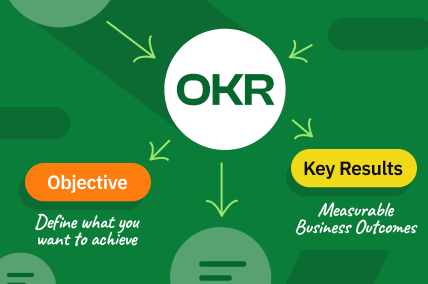
OKRs (Objectives and Key Results) give UI/UX design teams a framework to move beyond pixel-pushing and into measurable user impact. Instead of tracking deliverables like wireframes completed or mockups reviewed, design OKRs focus on outcomes that define genuine user experience improvement — task completion rates, usability scores, design system adoption, accessibility compliance, and research-driven product decisions that move key business metrics.
For design organizations, OKRs bridge the gap between creative work and business outcomes. A Figma file count is a KPI. The OKR is the strategy to improve the experience: reducing user onboarding time from 12 minutes to under 3, achieving 95% design system component adoption across all product teams, or increasing the System Usability Scale score from 68 to 85. This shift from design activity tracking to user outcome measurement is what separates decorative design teams from those that genuinely shape product success.
Whether you are a solo designer at a startup or lead a 30-person design organization at an enterprise, the examples below cover design systems, user research, usability improvement, design efficiency, and accessibility. Each objective is outcome-oriented, each key result has measurable targets, and every example includes the context needed to adapt it to your product maturity, your user base complexity, and your design team structure.
Interactive OKR Examples
Launch a foundational design system with core components covering 80% of common UI patterns
Build the initial design system from scratch, establishing a shared component library, design tokens, and documentation that eliminates inconsistency across the startup's product surfaces.
Reduce visual inconsistency across the product by driving design system adoption from 40% to 80%
Close the adoption gap by migrating legacy screens to design system components, building developer tooling, and creating onboarding resources that make the design system the path of least resistance.
Establish an enterprise-grade design system governance model supporting 15+ product teams
Scale the design system from a single-team effort to a governed platform with contribution workflows, versioning, and quality gates that serve a large enterprise product portfolio.
Build a multi-platform design system supporting web, iOS, and Android with unified design tokens
Extend the design system beyond web to deliver platform-native components for iOS and Android that share design tokens while respecting platform conventions and interaction patterns.
Create a design token architecture that enables rapid theming and white-label product support
Architect the design token layer to support multiple brand themes and white-label deployments, enabling the startup to serve different customer segments without duplicating design work.
Reduce design debt by 60% through systematic component consolidation and documentation
Tackle the accumulated design debt from rapid scaling by auditing inconsistent patterns, consolidating duplicate components, and building comprehensive documentation that prevents future fragmentation.
Build an automated design-to-code pipeline reducing handoff friction by 70%
Eliminate the design-to-development translation gap by implementing automated code generation, Figma-to-code integrations, and specification tooling that ensures pixel-perfect implementation.
Launch a design system analytics platform measuring component usage and adoption health across the organization
Build visibility into how the design system is actually being used in production, enabling data-driven decisions about component priorities, deprecation, and team-specific adoption initiatives.
Pioneer an AI-assisted design system that generates contextually appropriate component compositions
Push the design system frontier by integrating AI capabilities that suggest component compositions, auto-generate layouts, and accelerate the design process while maintaining system consistency.
Build a design system health scoring framework that predicts and prevents design debt accumulation
Create a proactive health monitoring system that quantifies design debt, identifies emerging inconsistencies, and provides early warnings before visual fragmentation impacts user experience.
Create a federated design system model enabling autonomous team contributions while maintaining global consistency
Evolve from a centralized design system team to a federated model where product teams contribute components autonomously, governed by quality gates and automated validation.
Deliver a composable design system architecture supporting micro-frontend product strategy
Architect the design system to support independently deployed micro-frontends while ensuring visual coherence, shared state management, and seamless user experience across module boundaries.
Build Your Own OKR
Select a focus area for your OKR:
#RecruitingPartner
Join as freelance recruiter.
Get clients, AI tools & 65% of commissions


OKR Scoring Calculator
Use Google's 0.0 to 1.0 scoring scale to evaluate your UI/UX design OKRs at the end of each quarter. A score of 0.7-1.0 means the key result was delivered, 0.3-0.7 means meaningful progress was made, and 0.0-0.3 signals a miss that needs root cause analysis. The sweet spot is landing between 0.6 and 0.7 on average — if you consistently score 1.0, your OKRs are not ambitious enough.
Overall Score
Top 5 OKR Mistakes UI/UX Design Teams Make
Don't do this:
KR: Deliver 30 screens and 5 prototypes this quarter
Do this instead:
KR: Improve onboarding task completion rate from 45% to 80% through redesigned user flows
Counting screens and prototypes is an activity metric, not an outcome. A team can deliver 100 screens that nobody uses or that make the experience worse. The OKR should measure the impact of design work on user behavior — task completion, error reduction, satisfaction scores. This forces designers to focus on the right problems rather than just producing artifacts.
Don't do this:
KR: Achieve 90% design system adoption by mandating component usage in code reviews
Do this instead:
KR: Achieve 90% design system adoption by reducing component implementation time by 50% versus custom builds
Mandating adoption through enforcement creates resistance and workarounds. If developers find the design system harder to use than building custom components, no mandate will drive genuine adoption. The OKR should focus on making the design system the easiest path — better documentation, faster implementation, and clear value — so adoption happens because it is the rational choice.
Don't do this:
Objective: Pass the WCAG audit and get the compliance certification
Do this instead:
Objective: Build an accessibility-first design practice where zero new critical violations reach production
Accessibility is not a project with a finish line. Products change every sprint, and each change can introduce new accessibility barriers. The OKR should focus on building the culture, processes, and automated testing that prevent accessibility regressions continuously — not on a one-time audit pass that becomes obsolete the next week.
Don't do this:
KR: Conduct 15 usability studies this quarter
Do this instead:
KR: Achieve 80% of product decisions in sprint planning referencing user research insights
Conducting studies nobody reads is waste. The value of UX research is in its influence on product decisions. A single deeply insightful study that changes the product direction is worth more than 20 routine studies that sit in a folder. Measure research by its impact on decisions — how many product choices were informed by evidence rather than opinions.
Don't do this:
OKR set: 3 objectives about design quality and user experience, 0 about design team efficiency
Do this instead:
OKR set: 2 design quality objectives and 1 design efficiency objective reducing handoff friction and cycle time
Beautiful designs delivered too late are useless. A design team that takes 4 weeks per feature while engineering sprints run in 2-week cycles creates a permanent bottleneck. Balance design quality OKRs with efficiency OKRs — reduce cycle times, improve handoff quality, eliminate rework loops. Speed and quality are not opposites when you invest in the right processes and tools.
OKRs vs KPIs for UI/UX Design: What's the Difference?
| Dimension | OKR | KPI | UI/UX Design Example |
|---|---|---|---|
| Purpose | Drive ambitious improvement in design quality, usability, and user experience outcomes | Monitor ongoing design operations health and output consistency | OKR: Improve SUS score from 62 to 85. KPI: Track weekly design throughput and review turnaround time. |
| Time Horizon | Quarterly, with defined start and end dates | Ongoing and continuously measured | OKR: Achieve WCAG AA compliance across all flows by end of Q2. KPI: Weekly accessibility violation count dashboard. |
| Ambition Level | Stretch goals — 70% completion is often considered successful | Targets are meant to be hit 100% of the time | OKR: Achieve 95% design system adoption (stretch). KPI: Design review turnaround must stay under 48 hours. |
| Scope | Focused on the few design priorities that create the most user impact | Comprehensive coverage of all design metrics | OKR: 2-3 objectives per quarter. KPI: Dashboard tracking 20+ metrics (throughput, satisfaction, accessibility, velocity, etc.). |
| Ownership | Shared across design team with individual accountability for key results | Typically assigned to individual designers or design leads to monitor | OKR: Team owns 'improve usability' with individual KRs for onboarding, navigation, and error handling. KPI: Each designer tracks their project delivery metrics. |
| Flexibility | Can be adjusted mid-quarter based on user research findings or business pivots | Generally fixed for the measurement period | OKR: Pivot from design system to emergency UX fix after user research reveals critical flow. KPI: Component coverage percentage stays fixed. |
| Measurement | Progress scored on a 0.0-1.0 scale with 0.7 considered strong | Measured as absolute numbers, percentages, or pass/fail | OKR: Score 0.7 on 'improve onboarding experience' = success. KPI: Onboarding completion rate either hits 80% target or it does not. |
| Alignment | Cascades from company → design team → individual to ensure strategic coherence | Often siloed within design with limited cross-functional visibility | OKR: Company growth goal cascades to design team UX OKR to individual designer KRs. KPI: Design tracks throughput; engineering tracks velocity separately. |
Purpose
OKR: Improve SUS score from 62 to 85. KPI: Track weekly design throughput and review turnaround time.
Time Horizon
OKR: Achieve WCAG AA compliance across all flows by end of Q2. KPI: Weekly accessibility violation count dashboard.
Ambition Level
OKR: Achieve 95% design system adoption (stretch). KPI: Design review turnaround must stay under 48 hours.
Scope
OKR: 2-3 objectives per quarter. KPI: Dashboard tracking 20+ metrics (throughput, satisfaction, accessibility, velocity, etc.).
Ownership
OKR: Team owns 'improve usability' with individual KRs for onboarding, navigation, and error handling. KPI: Each designer tracks their project delivery metrics.
Flexibility
OKR: Pivot from design system to emergency UX fix after user research reveals critical flow. KPI: Component coverage percentage stays fixed.
Measurement
OKR: Score 0.7 on 'improve onboarding experience' = success. KPI: Onboarding completion rate either hits 80% target or it does not.
Alignment
OKR: Company growth goal cascades to design team UX OKR to individual designer KRs. KPI: Design tracks throughput; engineering tracks velocity separately.
How to Track UI/UX Design OKRs Effectively
Weekly Check-in
A focused 15-20 minute sync to review progress on each key result, flag blockers early, and adjust tactics while the quarter is still young enough to course-correct.
- •Score each key result on the 0.0-1.0 scale based on current usability metrics, design system analytics, and project milestones
- •Review the week's user research findings and their implications for in-progress design work and OKR priorities
- •Identify the top blocker for any key result scoring below 0.3 and assign an owner for resolution
- •Confirm next week's top 3 design priorities that will move the needle on lagging key results
Monthly Review
A deeper review to assess trajectory, determine if any OKRs need to be rescoped, and share learnings across the team. This is where design trends become visible and strategic pivots happen.
- •Review month-over-month trends for usability scores, design system adoption, accessibility compliance, and design throughput
- •Assess whether any objectives need adjustment based on new user research insights or product strategy changes
- •Share design critique highlights and their implications for current OKR priorities with the team
- •Align with product, engineering, and business leadership on design dependencies and resource needs
Quarterly Retrospective
A comprehensive end-of-quarter review where the team scores all OKRs, conducts root cause analysis on misses, extracts lessons learned, and drafts the next quarter's OKRs based on what was discovered.
- •Final-score every key result and calculate the average score per objective using usability data and design analytics
- •Conduct a structured retrospective: what design improvements delivered value, what user feedback changed our priorities
- •Identify the top 3 design lessons that should inform next quarter's OKR design and process improvements
- •Draft next quarter's OKRs incorporating user research findings, accessibility audit results, and design system health metrics
Frequently Asked Questions About UI/UX Design OKRs
How should UI/UX design OKRs balance quality with speed of delivery?
What metrics make the best UX design OKR key results?
Should accessibility be its own OKR or part of other design objectives?
How do you measure the ROI of design system investment to justify continued funding?
Can a small design team of 1-2 people effectively use OKRs?
How should design OKRs connect to broader product and business goals?
When should user research OKRs be separate from usability OKRs?
How do you handle the subjective nature of design quality in OKR scoring?

Adithyan RK is the Co-Founder and CEO of Hyring, an AI-native recruitment platform that has run over 900,000 AI interviews for companies ranging from early-stage startups to the Fortune 500. He has spent 18 years building technology businesses, starting with a digital consultancy in 2008 and a staff augmentation firm in 2017, before founding Hyring in 2022 to rebuild hiring around evidence instead of guesswork.
Expertise

Surya N is the Co-Founder and CTO of Hyring, where he architected the AI interviewing engine that has now conducted over 900,000 interviews for companies ranging from early-stage startups to the Fortune 500. A mechanical engineer who moved into artificial intelligence, he spent 6 years building AI applications inside a technology consultancy before co-founding Hyring, and wrote the first version of its AI interviewer from scratch: a system that listens, adapts its questioning in real time, and flags fraud rather than following a fixed script.
Expertise
Need the Right People to Hit These OKRs?
The best OKRs mean nothing without the right team. Hyring helps you find, assess, and hire top UI/UX design talent faster — so your ambitious objectives actually get met.
See How Hyring Works