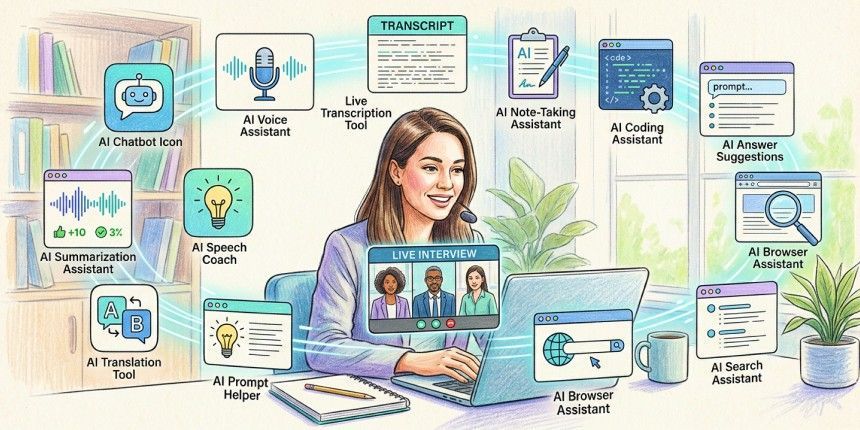
Remote hiring has recently been facing a growing integrity challenge as AI-powered interview assistants and desktop copilots become easier to access. While these tools are built for a range of interview-related use cases, some candidates have started using them during live assessments to generate answers in real time. That shift is also why the phrase AI cheating tools has become increasingly common in hiring conversations.
To respond, companies are relying on advanced AI proctoring software that looks beyond browser monitoring and screen sharing. Instead of trying to identify a specific application, modern proctoring evaluates behavioural anomalies and response patterns that may indicate external assistance during an interview.
Cluely is usually the first tool that comes to mind when thinking about recruiting, but things have changed now. Final Round AI, LockedIn AI, Interview Coder, and Leetcode Wizard all share a place within the same discussion now. It was reported that cheating by applicants went from about 15% to 35% between June and December 2025, as shown in an analysis of interview integrity trends performed by Fabric. In this article, we will discuss what these tools do, how some applicants apparently use them during live interviews, and how AI proctoring detects their behavioural patterns.
Also read: 7 Ways Candidates Cheat Using AI (And How AI Proctoring Stops Them)
AI interview cheating tools are AI-powered interview assistants, desktop applications, and coding copilots that can generate real-time answers during live evaluations. Throughout this article, the term refers to situations where candidates use these tools during an interview in ways that employers consider dishonest or contrary to interview policies, rather than the intended purpose of the software itself.
These applications typically run discreetly in the background on a computer. Depending on the product, they can capture interview audio, read coding challenges displayed on screen, or analyse questions before sending them to a large language model. Within seconds, the model generates suggested responses that a candidate can choose to rely on instead of answering independently.
When used this way, these tools make it much harder for recruiters to assess genuine knowledge, communication skills, and problem-solving ability. The interviewer may believe they are evaluating the candidate's own thinking, when in reality the response is being influenced by external software. That creates a false hiring signal and makes it more difficult to distinguish genuinely qualified candidates from those relying on AI assistance during the interview.
Other well-known names in this space include Interview Coder, Final Round AI, Sensei AI, and Leetcode Wizard. While some users view these platforms as interview companions or productivity tools, many employers consider their undisclosed use during a live assessment to be a form of interview misconduct because it misrepresents a candidate's independent capabilities.
Cluely
Cluely is a desktop application that generates AI-assisted responses in real time during interviews. It works on both macOS and Windows, capturing interview audio before transcribing questions and sending them to a language model that returns suggested responses within seconds. Its claim to fame stems from a Columbia University suspension story, which helped it raise $5.3 million in seed funding within weeks, according to Notebookcheck. Its audio and screenshots also pass through more than a dozen subprocessors, as reported by Honorlock, a detail many users are unlikely to notice before installing.
Final Round AI
Final Round AI is known for generating STAR-formatted answers in real time for behavioural and case interviews. Candidates can upload a resume beforehand, allowing the platform to mirror their writing style so responses sound more personal and less rehearsed. Built In lists it alongside AIApply as one of the platforms recruiters frequently mention when discussing AI-assisted interviews.
LockedIn AI
LockedIn AI offers functionality similar to Cluely while being marketed more openly as an interview copilot. It integrates with Zoom, Google Meet, and Microsoft Teams and reports more than a million users. Those capabilities also allow it to remain available throughout virtual interviews, making it another platform recruiters have started paying closer attention to.
Interview Coder and Leetcode Wizard
Interview Coder and Leetcode Wizard focus primarily on technical interviews. Both can analyse coding questions using OCR instead of audio, generating suggested solutions almost as soon as a problem appears on screen. According to reports, Leetcode Wizard is priced at about $49 per month, thus quite affordable for those looking to ace their coding interviews. Recruiters have been increasingly talking about these two services not just as means for interview preparation but as candidates’ tools in live coding assessments which is concerning.
Interview Solver and Parakeet AI
Interview Solver and Parakeet AI offer similar AI-assisted interview capabilities. Their behaviour, however, differs across operating systems. Parakeet AI appears as a visible background process on macOS, making it easier to spot through Activity Monitor during an interview. While the software remains functional, that visibility can reduce its usefulness for anyone attempting to keep it running unnoticed.
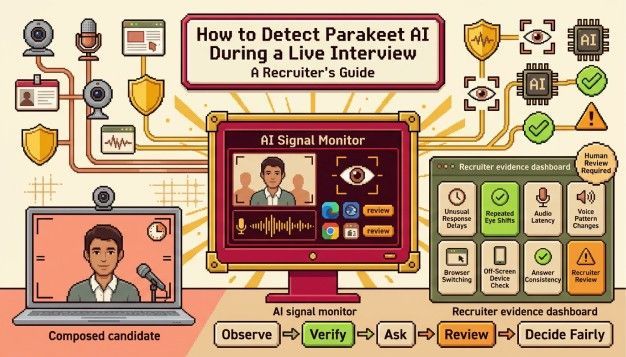
For a full walkthrough, see our guide on how to detect Parakeet AI in a live interview.
Many desktop-based interview assistants display responses using overlays that render beneath the layer captured by most screen-sharing software. Several desktop interview assistants reportedly rely on graphics APIs such as DirectX on Windows and Metal on macOS, allowing text to appear on the user's display without always being visible in the shared screen.
The system audio is typically routed through a virtual audio driver, transcribed by a speech recognition model such as Whisper, and then passed to a large language model that generates suggested responses within a few seconds, according to Fabric's testing. Coding-focused tools replace the audio pipeline with OCR, allowing them to analyse programming questions directly from the screen before generating suggested solutions.
When these tools are used during a live interview, candidates typically see a floating overlay that displays AI-generated responses on top of their video feed or coding screen. Instead of switching between windows, the suggested answers remain visible while the interview continues.
A translucent panel usually sits close to the webcam or beside the coding environment. As questions are asked, the application continuously updates the overlay with bullet points, suggested responses, or code snippets relevant to the conversation. This allows candidates to keep looking towards the camera while reading the generated content.
Because the overlay stays on the local display, it is not always visible through conventional screen sharing, which is one reason recruiters have become increasingly concerned about these applications during remote interviews.
Independent user reports and testing also point to several practical limitations. Response times can vary significantly depending on network conditions and model load, with some users reporting delays of up to 90 seconds before an answer appears.
The generated responses can also become vague, generic, or repetitive when the model lacks sufficient context. During coding interviews, the software may occasionally produce hallucinated syntax or reference functions that do not exist, reflecting the same limitations found in large language models more broadly.
Hyring detects potential AI-assisted interview behaviour across its AI video interviewer using behavioral indicators, patterns of response times, and systemic anomalies, together with its proprietary software.
While traditional systems only focus on changes in browser tabs, Hyring uses multi-signal detection. Flatline response times are observed where candidates provide an answer to a complicated question within no time, since the system operates at a uniform speed for all responses. Humans, on the other hand, take some time to reflect.
Eye tracking is another measure that Hyring uses to determine whether the person taking the interview is reading from an unauthorized script on the computer screen and not interacting naturally. Whereas platforms such as Talview attempt to deter this practice by locking down browsers, standalone desktop applications can operate outside the browser environment, thereby reducing the effectiveness of browser-only restrictions.
Hyring’s proprietary proctoring solves this by detecting them through behavioral patterns, other inputs, and anomalies.
How Can You Set Interview Policies That Prevent AI Fraud?
Organizations reduce AI-assisted interview misconduct by combining adaptive questioning, structured interview design, AI proctoring, and human review instead of relying on technology alone.
Recruiters also need to rethink how interviews are conducted. Adaptive questioning makes it much harder for candidates to depend on AI-generated responses because follow-up questions, changing scenarios, and requests to explain decisions require genuine understanding. Ask candidates to justify an engineering decision, explain why they chose a particular approach, or introduce an unexpected constraint midway through a coding exercise. Tools like an AI coding interviewer make this easier by adapting problems in real time and flagging anomalous solve patterns.
Real-time interview assistants are generally less effective when candidates have to defend their reasoning instead of simply repeating a prepared response. The more dynamic the conversation becomes, the harder it is for external assistance to keep pace.
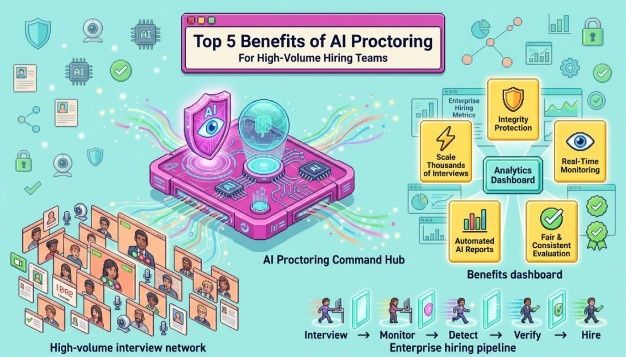
Finally, deploy robust AI proctoring software across all remote assessments to strengthen identity verification, detect behavioural anomalies, and preserve interview integrity. Combined with well-designed interview policies, these measures make it significantly harder for candidates to rely on external AI assistance during live assessments.
Ready to secure your technical hiring? Book a demo today with Hyring to protect your hiring process against AI-assisted interview misconduct.
Key Takeaways for Hiring Teams
- Stealth Techniques: Several AI interview assistants use screen overlays that may not appear in conventional screen-sharing software.
- Behavioral Cues: Consistently flat response times, repetitive phrasing, and unusual eye movements can indicate that external assistance may be influencing responses.
- Policy Change: Adaptive questioning and requiring candidates to explain their reasoning make AI-assisted responses significantly less effective.
- Current Anti-Cheat Measures: Effective AI proctoring relies on behavioural analysis and multiple interview signals rather than browser monitoring alone.
Conclusion
- AI interview assistants have become part of today's remote hiring landscape. Cluely, Final Round AI, LockedIn AI, Interview Coder, Leetcode Wizard, and similar platforms continue to evolve, and some candidates choose to use them during live interviews in ways that undermine the integrity of the interview process or violate interview policies.
- For recruiters, identifying a specific application is becoming less important than recognising the behavioural patterns associated with external AI assistance. Adaptive interviewing, behavioural analysis, and modern AI proctoring provide a stronger defence than browser restrictions or screen sharing alone.
Frequently Asked Questions
Many conventional screen-sharing tools may not capture certain desktop overlays used by AI interview assistants. That is one reason employers increasingly combine screen sharing with behavioural analysis and AI proctoring.
The video stream stays perfectly clear while the test-taker is reading the questions. Software like Zoom and Teams isn’t capable enough to do this.
2. What is the main weakness of an AI interview copilot?
The most common limitations include inconsistent response times, generic or repetitive answers, and occasional hallucinations when the model lacks sufficient context. Like other large language models, AI interview assistants can also generate inaccurate technical information.
3. What is Final Round AI?
Final Round AI generates real-time STAR-formatted answers for behavioral and case interviews. A candidate uploads a resume beforehand, and the tool extracts phrasing from it so responses sound personal rather than generic.
4. What is LockedIn AI?
LockedIn AI is an AI interview assistant that integrates with platforms such as Zoom, Google Meet, and Microsoft Teams. It provides real-time interview assistance and has become one of several platforms recruiters discuss when evaluating AI-assisted interviews.
5. What are Interview Coder and Leetcode Wizard?
Interview Coder and Leetcode Wizard both solve coding problems through invisible OCR scanning. Both primarily rely on OCR rather than interview audio, reading a problem the moment it appears and returning a solution with an explanation written to sound spoken rather than pasted.
6. What are Interview Solver and Parakeet AI?
Interview Solver and Parakeet AI provide AI-assisted interview capabilities similar to other desktop interview assistants. Their behaviour differs across operating systems, with Parakeet AI appearing as a visible background process on macOS, making it easier to identify through Activity Monitor.
Basic browser extensions are often detected through tab-switch monitoring. Standalone desktop applications, however, operate outside the browser environment, which is why many hiring teams now combine browser monitoring with behavioural analysis and AI proctoring instead of relying on a single detection method.
8. How does modern proctoring identify automated scripts?
Advanced systems analyze user behavior rather than just technical restrictions. They track unnatural eye movements (like reading), speech rhythms, and the complete absence of normal human hesitation when solving complex problems.