Choosing time tracking software that best fits you and your company is vital. Most teams don’t notice a bad time-tracking tool until payroll week, when the hours don’t add up. Picking the right one comes down to four steps: Identifying the problem that occurs in the company and testing each shortlisted tool against 15 must-have features with an in-depth check for each one, evaluating vendors on a weighted scorecard, and piloting the shortlisted tool in the company for around two weeks. It is important that the winning tool is the one trusted by both your payroll team and your employees.
Key Takeaways:
- The first step is to identify the gap within the company. Figuring out where help is needed will help you find the solution.
- Different teams need different things from the same software, so it is important to get a tool that is versatile and accurate. Don't just trust salespeople about the features offered; rather, test them and see if it aligns with the company.
- Focus mainly on trust and data accuracy, not any other add-on features. If your team is skeptical about the tool, it won't work well.
- Check the pilot based on the following points: any necessary corrections, manual time additions, idle time notifications, and payroll approval of the data.
How to choose a time tracking software: start with the problem
When choosing a time tracking tool, start with the problem it is meant to solve. Write your non-negotiables before perusing through vendor websites.
Buyers normally fit into one of three types. Know yours, and it will help narrow it down to three options.
| Buyer profile | Example team | Must-haves | Nice to have |
|---|
| Payroll accuracy | 40 hourly support staff across a Pune office and remote shifts | Idle detection, manual time with approvals, weekly timesheets, CSV export by pay period | Screenshots |
| Client billing | 15-person design agency in Austin billing retainers | Daily timesheets, PDF reports a client can read, approval history | App and website tracking |
| Remote visibility | 8 engineers spread between Denver and Bengaluru | Self-view, team trends, offline tracking, no stealth mode | Unusual pattern alerts |
Payroll requires very stringent rules to keep the company's data safe. In the US, employers are mandated to keep payroll information on file for at least three years and all time cards for at least two years. New attendance rules in India starting in 2025 also require employers to maintain salary and attendance records.
Deciding what data to keep and what to delete is difficult to track. A helpdesk needs to track applications, while senior developers simply need to track hours.
Which time tracking software feature matters the most?
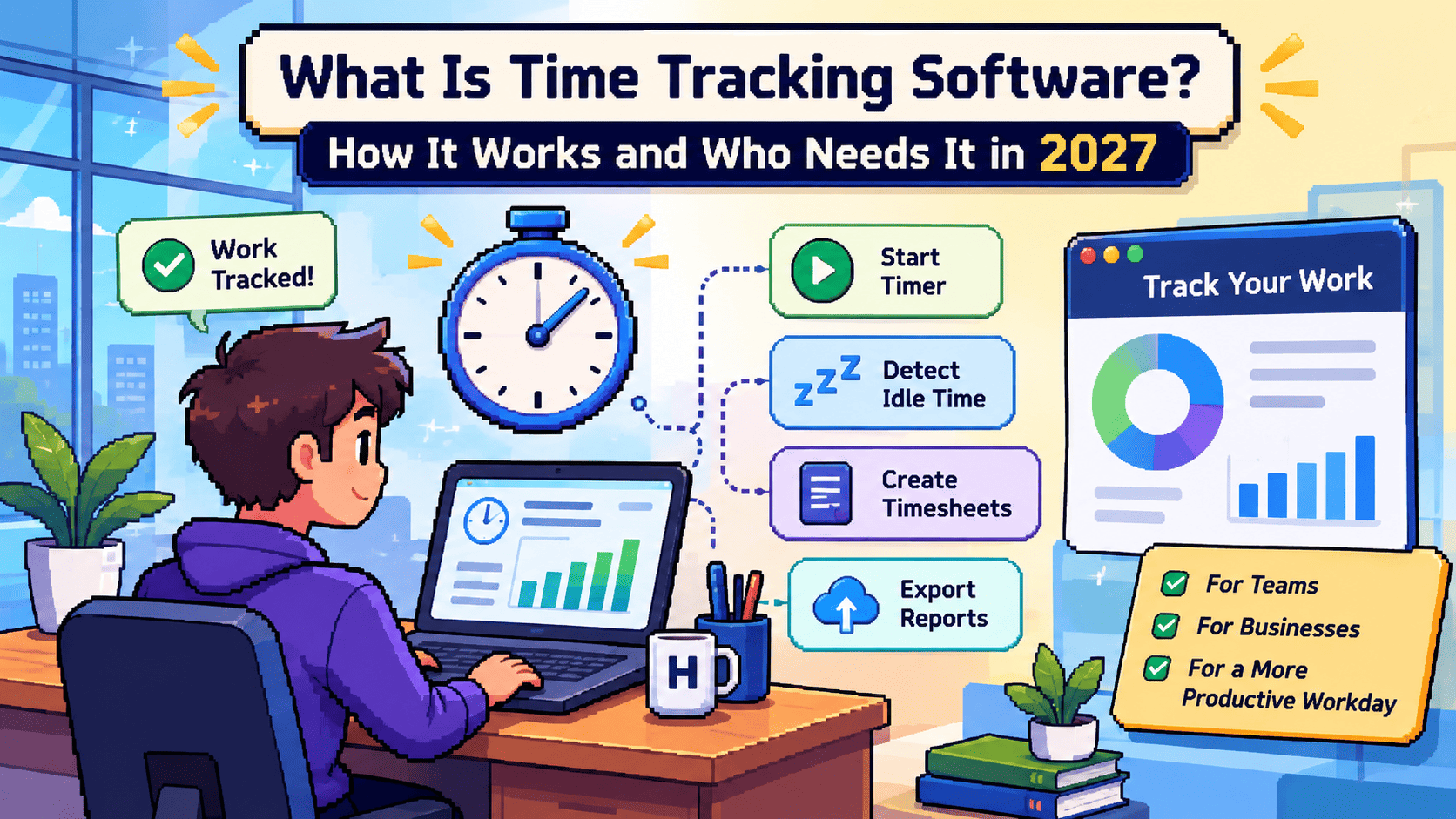
There are 15 features that comprise the 5 main functions of a time tracking tool that are non-negotiable for any company.
How time gets recorded:
| Feature | What good looks like | Test it yourself |
|---|
| 1. Desktop apps for every OS | Same features on macOS, Windows and Linux, signed by the OS maker | Install on your oldest laptop. Note any security warning |
| 2. Automatic capture | Records only while the timer runs, and says so on screen | Stop the timer, browse for five minutes, check that nothing was logged |
| 3. Offline tracking | Keeps recording without a connection and syncs later | Switch off Wi-Fi for 30 minutes, reconnect, check the timesheet |
Accuracy
| Feature | What good looks like | Test it yourself |
|---|
| 4. Idle detection | A prompt asks the person whether to keep or discard idle time | Walk away for longer than the threshold. Did the app ask, or decide for you? |
| 5. Manual time | Missed time can be added with a reason | Add a 45-minute client call afterwards. Count the clicks |
| 6. Approvals | Admins choose who approves, and every decision is logged | Approve, then reverse a request. Is the change recorded? |
The timer for idle time notifications needs to be looked into before confirmation. If the time is too short, the notification may pop up when someone is reading and interrupt them. If the time is too long, people can leave their timer running during lunch and get it counted as doing work. Roles that heavily rely on making calls or reading usually need a longer time period between idle time notifications.
Visibility
| Feature | What good looks like | Test it yourself |
|---|
| 7. Timesheets | Daily and weekly views, approved and pending time shown separately | Compare a member's weekly total with the sum of their daily totals |
| 8. Team reports | Filter by team, person, and date range in the app | Pull last week's hours for one team in under a minute |
| 9. Exports | CSV for payroll, PDF for clients, matching your week start and time zone | Send one week's CSV to payroll. Did they need to edit it? |
Trust
| Feature | What good looks like | Test it yourself |
|---|
| 10. Self-view | Members see their own timesheet, activity, and screenshots | Log in as a member and list what you can't see about yourself |
| 11. No stealth mode | The app always shows in the menu bar or tray | Ask the vendor in writing whether it can ever run hidden |
| 12. Screenshot controls | Optional by role, blurrable per person, with a retention limit | Blur one pilot member and check what their manager sees |
Admin
| Feature | What good looks like | Test it yourself |
|---|
| 13. Roles | Managers see only their teams | Log in as a manager. Can you see another team? |
| 14. Security | SOC 2 and ISO/IEC 27001, with reports on request | Ask for the SOC 2 report. A vendor that stalls has a reason |
| 15. SSO and provisioning | Sign in through your identity provider; leavers removed automatically | Ask which plan includes SSO and SCIM, and get it in writing |
Some companies care about project management, invoicing, mobile apps, and payroll. Don't consider them if they do not pertain to your company. How you track time, either manually or using AI, impacts accuracy, so make sure you compare the data using both methods.
How do you compare time tracking software fairly?
It is imperative that you use the same scorecard for each tool and choose the best option based on your needs.
Rate each of the 5 categories (from 1 to 5) based on your tests, multiply it by the weight, and divide the total by 5 to get a score out of 100. Here are the sample weights for a team focused on payroll.
If you look closely, Tool A has a variety of tools at its disposal but ranks last because it is not user-friendly. Employees cannot access their stats, and there is no indication of inactive time.
Tool B, on the other hand, does better in areas that help build trust during the hours that are tracked.
You can adjust the weights based on your company's needs. For example, a company billing clients may give more weight to trust and visibility as opposed to the other features. Make sure to agree on the markers with senior team leaders before starting the pilot.
What are the rules for a pilot?
Make sure the pilot includes team members from different roles and analyze the results. A demo may show you how to navigate the tool, but a pilot would show you how your team will work with it. Many buyers regret buying a tool because their employees couldn't ease into it. A strategic, planned pilot can help prevent this.
| When | What to do | What to record |
|---|
| Day 1 | Tell the pilot group what is recorded, who sees it and why. Invite them | Minutes from invite to first tracked session |
| Days 2 to 5 | Work normally. Include at least one person who travels or takes long calls | Idle prompts per person, manual time requests and their reasons |
| Day 5 | Members check their own week before the manager approves | Corrections members asked for |
| Days 6 to 9 | Change one setting, such as the idle threshold, based on week one | Whether prompts and corrections drop |
| Day 10 | Export the pilot period and hand it to payroll or billing | Edits payroll needed before using it |
| Days 11 to 14 | Ask every pilot member two questions: did it record your work fairly, and did it save you time? | Answers, word for word |
The numbers help you understand the tool in depth. If you have bugs and corrections in the tool for a week, that's fine, but if it prolongs for a month or so, that could be a red flag. Each error made can directly cost payroll money; over time these can become expensive to fix.
The feedback collected gives you insight into trust. If the pilot proves successful, it means employees can work without any interference while trusting the tool. Once the process is deemed fair, it will be easier for all employees to implement. Make sure you consider the seat policy, especially if admins and manager users count as paid seats.
What vendor answers to be wary of
If at any point a vendor gives you a vague answer, especially in terms of privacy, data or billing, it is a red flag. These are the areas hardest to fix once the whole company has begun using the tool.
| You ask | A good answer | A warning answer |
|---|
| Can the app run without the person knowing? | No. It always shows on screen | "It can be configured for discreet use" |
| Can members see their own data? | Yes, the same records their manager sees | "Managers can share reports if they choose" |
| How long do you keep data? | A clear period you can set, plus how deletion works | "As long as your account is active" with no setting |
| Who counts as a paid seat? | A plain rule, in writing, before you buy | "Let's discuss on a call with sales" |
| How are people flagged? | Against their own usual pattern | Ranked against colleagues by default |
| Can I export everything if I leave? | Yes, in CSV, on every plan | Exports only on a higher plan |
If you get more than two warnings on this list, drop the vendor, even if the demo was great.
Your 10-point checklist:
Before you invest in a time tracking tool, try to tick off all 10 points with your scorecard.
- You identified the problem and this problem was shared with the pilot group.
- After inquiring about several vendors, you shortlisted the list to three based on your needs.
- You tested all 15 features on all three tools.
- You set scorecard weights before testing.
- You selected a group of 5-10 people from different roles for the pilot.
- At least one person's data was exported with no error from payroll.
- The SOC 2 report and data processing agreement were agreed upon by the company.
- The retention policy and process for leaving employees were discussed and agreed upon.
- Seat-based billing was discussed.
- Pilot users' feedback was taken into consideration and all the data collected is accurate and up to date.
How Hyring Insight handles the list
Hyring Insight predominantly focuses on two things: Trust and accuracy.
In terms of trust, the desktop version for macOS, Windows and Linux lets you show the programme in a menu bar and system tray. Hyring Insight does not track keystrokes, access video, camera footage or audio, even when the timer is on. The platform monitors and collects no data when the timer is off. Members can see their own timesheets, activity, apps and screenshots which will be exactly what the manager sees. Screenshots are an optional choice and can be blurred for each user. The length at which these screenshots are kept depends on the type of subscription.
When it comes to accuracy, idle detection notifications pop up with “Were you working?” after 10 minutes of inactivity. 10 minutes is the default given by Hyring Insight, the time gap can be changed by the admin based on what aligns with the company. If an employee was working, but was away from the system, they are free to add a note with the time and reason and manually add time back to their manager for approval. In order to establish unusual activity, data is compared between their own activity and usual activity.
You can save timesheets and reports exported from Hyring Insight, either as a CSV file or a PDF for payroll purposes or clients. Hyring Insight is certified for SOC 2 and ISO/IEC 27001, and has SSO and SCIM for the Enterprise plan.
The tool is very easy to set up and can often be set up within the hour.
Frequently Asked Questions
1. How many features would a small team require?
A team with an employee count that stands less than 20, would need time tracking, idle time detection, manual time entry with approvals, timesheets and exports. They can opt for screenshots or app tracking if it is a necessity.
2. How long should my pilot run?
Ideally, a pilot should be around two weeks. This should help cover a payroll or invoicing cycle and can help users get used to being monitored.
3. Should employees join the pilot program?
Absolutely, employees from different teams and roles need to join the pilot programme. Their feedback is vital when it comes to deciding whether the product is successful or not.
4. What feature should I look for that is very overlooked?
Employees access their own data. When users can monitor their own data via the dashboard, it helps fix mistakes and improve accuracy before there's a performance meeting about it.