Cluely is a desktop app that uses artificial intelligence to watch a candidate’s screen and listen in on the microphone during live interviews. It relays answers to questions asked during the interview in real time through an on-screen overlay that is not visible to the interviewer during a standard screen share.
It has become one of the most widely discussed AI interview tools amid a growing number of remote technical rounds that feel increasingly unnatural. This guide covers what Cluely is, how its screen overlay works, and how AI proctoring catches it.
What is Cluely?
Cluely is an AI-assisted desktop app that feeds candidates live answers during interviews.
Cluely listens through the built-in microphone, scans the screen, and is continuously context-aware, streaming back suggested responses through a floating window that is hidden from standard screen-sharing and many proctoring tools.
It primarily markets itself as a tool for sales calls and exam preparation, but it has also gained attention for reported use during job interviews, where the stakes are higher and proving misuse after an interview can be difficult.
Controversy and Cluely: Origins
Cluely traces its origins to Columbia University students who were suspended after using an earlier version of the software during technical interviews.
Chungin "Roy" Lee, Alex Chen, and Neel Shanmugam built an early version of Cluely called Interview Coder and used it during real technical interviews as students. Columbia suspended both in March 2025 after the story became public, and the controversy later became part of the company's launch story.
Within weeks, the startup raised $5.3 million in seed funding, according to Notebookcheck. The funding drew significant attention because of the product's association with interview assistance and the surrounding controversy.
How does Cluely's screen overlay avoid detection?
Cluely renders an overlay through GPU-level graphics that screen-sharing tools can't see.
This isn’t a second screen or a phone placed outside the picture frame. The user interface for Cluely is rendered via DirectX on Windows and Apple’s Metal rendering API on Mac OS, directly drawing text to the local display, instead of through the application window.
Zoom, Google Meet, and Microsoft Teams ask the operating system for a list of open windows before sharing one, and Cluely's floating bar never lands on that list, per Honorlock.
What does a Cluely-assisted interview look like?
Candidates see a live transcript and suggested answers that are not visible to the interviewer during a standard screen share.
Although Cluely promises strong performance through its marketing, that isn't always reflected in practice. When a Business Insider journalist experimented on Cluely by testing it in a mock job interview, she received responses that seemed generic and showed noticeable lag.
There are three main problems identified by researchers at Fabric, namely consistent response timing, reading pattern eye movement, and comprehensive but oddly impersonal phrasing of responses.
Why Zoom, Google Meet, or Microsoft Teams Can’t Catch It
Screen-sharing apps only show open windows, and Cluely's overlay isn't behaving like one because it writes text directly to the display rather than to a conventional application window.
Most hiring teams still treat "camera on, screen shared" as proof that nothing is hidden, and software that renders overlays outside the shared window can take advantage of that limitation. The same blind spot covers coding-problem auto-solvers and secondary devices that are propped outside the camera frame, a pattern covered in how candidates use AI to cheat during interviews, which cites a survey finding that 7 in 10 job seekers admitted to cheating somewhere in the hiring process.
How does AI proctoring detect Cluely?
AI proctoring cross-checks gaze, processes, and response timing to flag overlay use.
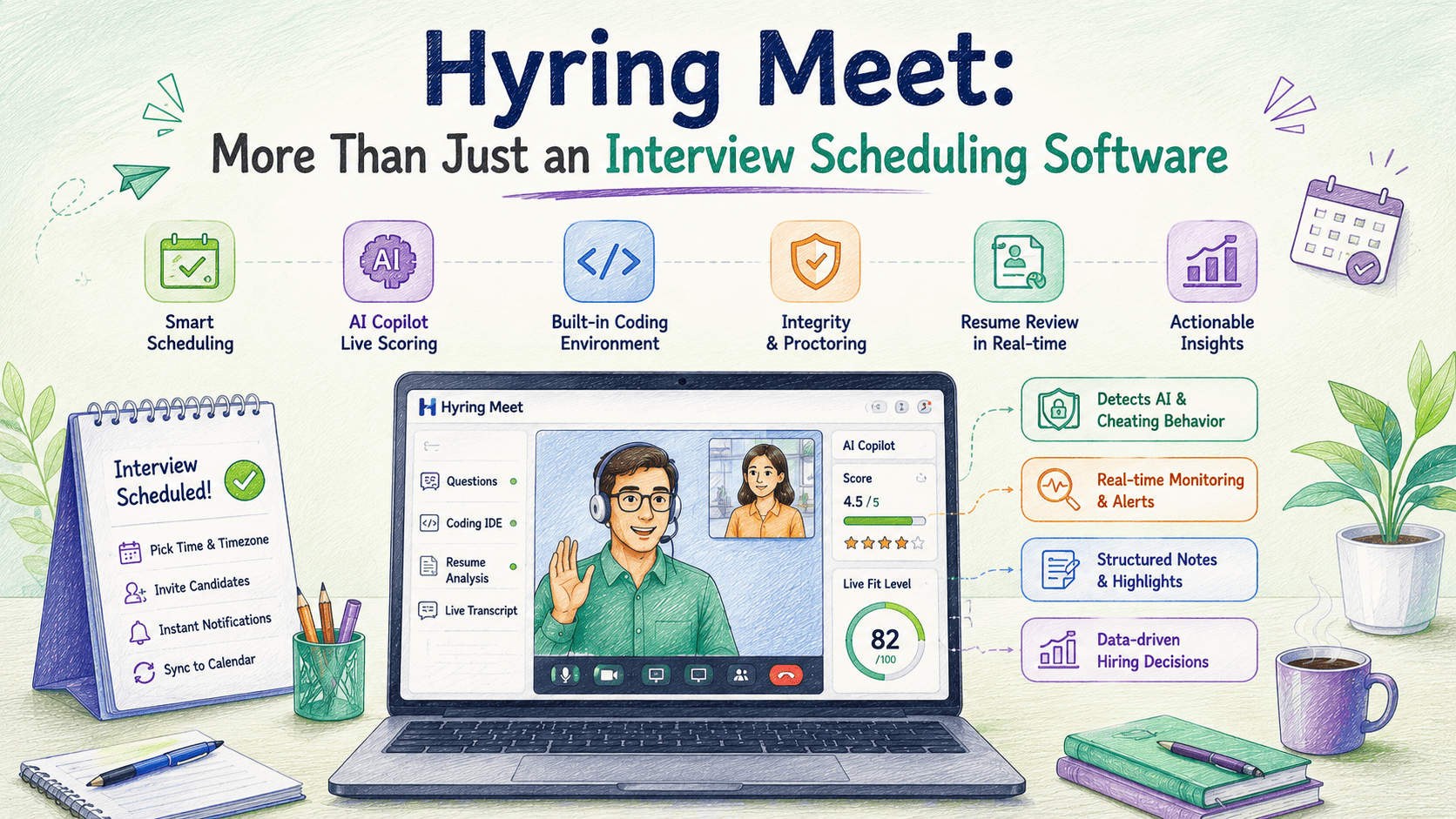
Hyring's proctoring doesn't rely on one signal, which matters because software such as Cluely is intended to avoid detection through conventional screen sharing. The system checks eye-gaze against the live camera feed, scans for unauthorized processes running in the background, flags tab switches, and measures the latency of candidate responses against the difficulty of the questions themselves.
A candidate with a high probability of reading from a hidden overlay tends to fail at least two of those checks. This layered approach runs across Hyring's AI Video Interviewer and is detailed in our blog as well.
Also Read: Live vs. Automated Proctoring: Which Actually Works for Hiring?
Blocking Cluely with An Interview Policy
A policy combining live follow-ups, disclosure, and multi-signal proctoring works best.
A written policy only helps if it changes how the interview actually runs:
- Run live, two-way rounds instead of asynchronous recorded exchanges; under an unscripted follow-up, Cluely's lag is evident earlier
- Candidates can be asked to explain the code during a technical interview, line by line, or a software bug can be introduced mid-interview - reading an answer does not mean that debugging live would be an easy or a task that can be tackled.
- Disclose proctoring upfront. Candidates who know gaze tracking is active take fewer risks with overlay tools.
- Combine at least three signals (gaze, latency, process scan) rather than tab-switch alerts alone.
None of this requires in-person-only hiring, the response some large employers have reportedly taken.
In Short
- Cluely is an AI desktop app that overlays live answers on a candidate's screen, invisible to standard screen sharing.
- It renders through GPU-level graphics calls (DirectX/Metal), so Zoom, Google Meet, and Teams cannot see it in a shared window.
- Fixed response latency, visible eye movements, and impersonal language can indicate possible overlay-assisted responses, even when the overlay itself is not visible.
- The combination of eye tracking, process monitoring, and response time checks from AI proctoring picks up where only tab switch warnings fail.
- A policy focused on real-time follow-ups and disclosure through multi-signal proctoring solves nearly all the problems that Cluely takes advantage of.
If your process still takes a screen share at face value, that's worth fixing before the next Cluely-style tool shows up.
Frequently Asked Questions
1. Is Cluely illegal to use?
Cluely is not illegal software by itself. Whether its use is acceptable depends on the context and the policies of the employer, educational institution, or organization. Using it to misrepresent one's own skills during an interview may violate candidate agreements or hiring policies.
2. Can Zoom or Microsoft Teams detect Cluely on their own?
Standard screen-sharing tools like Zoom and Microsoft only display windows the operating system registers as open, and Cluely's overlay and software is designed specifically to stay off that list.
3. Does Cluely work on both Windows and Mac?
Yes - Cluely uses DirectX on Windows and Apple's Metal framework on macOS to render its overlay directly on each system's graphics layer such that the information is being sent directly to the display, instead of via the operating system.
4. How is Cluely different from a coding-assistant browser extension?
Browser extensions run inside the browser and can usually be caught by app-allowlisting. Cluely runs as a separate desktop overlay, outside the browser and outside the screen-share window list.
No single metric is effective on its own, but combining gaze tracking, process scanning, and response-time analysis can detect a broader range of overlays and AI copilots than relying on any single signal.