Comparison · Clockify Pricing
Clockify Pricing
A straight breakdown of what Clockify's tiers include, where the costs step up, and which features sit behind which paywall. Written by a competitor, so read the last section too.
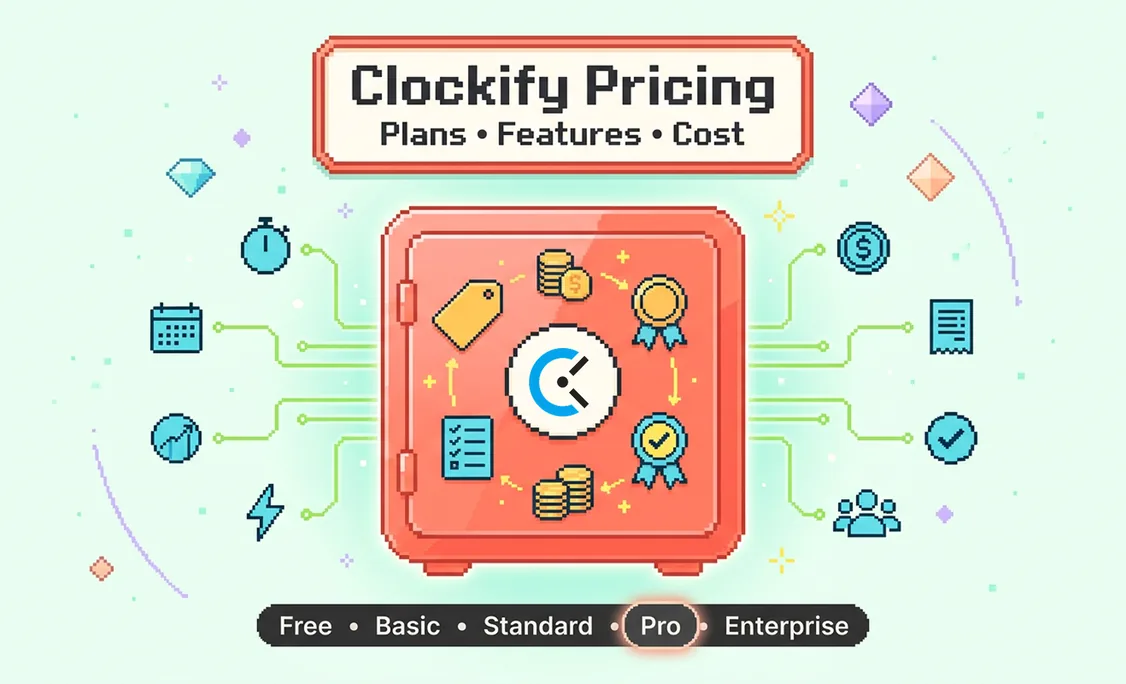


Free
Unlimited users, timer only
Standard
Approvals, invoicing, rates
Pro
Screenshots and activity
Enterprise
SSO and audit log
Direct answer
Clockify is a timer-first time tracking product with a permanently free tier allowing unlimited users, and three paid tiers above it: Standard, Pro, and Enterprise.
Screenshots and activity data sit in Pro rather than Standard, which is the step that most often surprises teams. For comparison, Insight by Hyring Pro is $7 per user per month and includes activity, screenshots, the companion layer, and AI answers with no tier gating.
| Free | Unlimited users, basic timer |
|---|---|
| Standard | Approvals, time off, invoicing, billable rates |
| Pro | Screenshots, activity, scheduling, forecasting |
| Enterprise | SSO, audit log, control account |
| Insight by Hyring Pro | $7 per user per month, nothing gated |
| Verify | Rates change, confirm on Clockify's site |
Clockify is a timer-first time tracking product with an unusually generous free tier and three paid tiers above it. This page explains what sits at each level and where teams typically hit a wall. We build a competing product, which is disclosed at the bottom along with the cases where Clockify is the better choice.
One note before the detail: software pricing moves. The tier structure and what sits in each tier is stable and is what this page is actually about, but confirm current per-user rates on Clockify's own site before you put a number in a budget.
The Tier Structure
Four tiers: a genuinely unlimited free plan, then Standard, Pro, and Enterprise.
How Clockify's pricing is structured
Free
Time tracking, unlimited users and projects
Standard
Timesheet approval, time-off, invoicing and billable rates
Pro
Scheduling, forecasting, screenshots, custom fields, GPS
Enterprise
SSO, control account, audit log, subdomain
The genuinely unusual thing here is the free tier: unlimited users and unlimited projects with no seat cap. Almost nobody else in this category does that, and it is the main reason Clockify appears on every shortlist.
What the Free Tier Really Gives You
Unlimited users, unlimited projects, and unlimited tracking, with no seat cap. That is not marketing language, it is the actual offer.
Most "free" tiers in this category cap you at three or five users, which makes them trials with a longer runway. Clockify's does not, and a twenty-person team can genuinely track time indefinitely without paying. That single decision is why Clockify appears on nearly every shortlist and why it has the adoption it does.
What you do not get is everything that turns tracked time into a business process: approving timesheets, managing time off, applying billable rates, invoicing, and any form of activity evidence. For a team that simply wants to know where hours went, none of that matters. For a team billing clients from those hours, the first paid tier arrives quickly.
Where the Cost Steps Up
The Standard-to-Pro step is the one that surprises people, because screenshots and activity live in Pro.
| Free tier: unlimited users | $0 |
|---|---|
| Standard tier at ~$6 per user per month | $1,800 |
| Pro tier at ~$10 per user per month | $3,000 |
| Enterprise at ~$15 per user per month | $4,500 |
The step that catches teams out is Standard to Pro. Screenshots, scheduling, and forecasting sit in Pro, so a team that adopts on Free for tracking and later wants activity evidence jumps two tiers rather than one.
The pattern we see most often is a team adopting Clockify free, growing, needing approval and invoicing, moving to Standard, and then later wanting some evidence of activity for remote or contractor work. That evidence sits in Pro, not Standard, so the second move costs more than the first. If you already know activity data matters to you, factoring Pro pricing into the initial comparison gives you a fairer picture.
What Clockify Is Genuinely Good At
Simplicity, price, and the fact that people actually use it.
- The free tier is the best in the category. Unlimited users with no seat cap is a real commitment, not a funnel, and it is entirely reasonable to run a small team on it forever.
- It is well liked by the people using it. That matters more than feature lists. A tracking tool the team resents produces bad data regardless of what it can do.
- Setup is fast. There is no implementation project and no administrator required.
- Project and client reporting is solid. For the question "how many hours went where", it answers cleanly.
Where It Runs Out
It is a timer, so it tells you how much time, not how the time went.
Clockify records durations against projects. It does not, by design, tell you whether the work day was fragmented across eleven context switches, whether someone has been consistently working past nine for three weeks, or which team is closest to burning out. Those are different questions, and answering them requires activity and application context interpreted rather than logged.
The second limit is that entry remains largely manual on the lower tiers, which means it inherits the accuracy problem every manual system has. People start the timer, forget to stop it, or reconstruct the day later. That is fine for internal visibility and expensive when the same hours are being invoiced.
Price Is the Wrong Axis
Free measures what you pay, not what it costs. In time tracking those are different numbers, and the gap usually runs the wrong way.
We make Insight, which competes with Clockify, so treat what follows accordingly. But the argument does not depend on our product being cheaper, because it is not.
A free timer costs nothing per seat and asks the user to supply the data. That is the trade. Someone has to remember to start it, remember to stop it, and reconstruct whatever they missed. Every study of manual time entry finds the same thing, and every agency and firm that has run one already knows it: reconstructed time is lower than actual time, consistently and in one direction.
Put a number on it. A twenty-person agency at a $150 blended rate, losing a conservative thirty minutes per person per day to hours that never reached a timesheet, is out roughly $780,000 a year. No subscription in this category costs a fraction of that. The free tier saved a few thousand dollars and cost a hundred times more, invisibly, because unrecorded revenue never appears as a line item anywhere.
That is the real comparison. Not $0 against $10 a seat, but accurate capture against reconstructed capture, and what the difference is worth in your business.
Insight by Hyring against the category
| Capability | Clockify | Insight by Hyring |
|---|---|---|
| Desktop companion avatar | None | Nudges, checks and celebrates, privately |
| Shared focus music rooms | None | Listen in sync with your team |
| Wellbeing reminders | None | Water, stretch, 20-20-20, wind-down, custom |
| Kudos and recognition | Separate tool | Built in, beside the work data |
| AI answers on the work day | Reports and exports | Ask a question, get a sentence |
| Capture method | Manual timer | Passive, as work happens |
| Who sees data first | Manager | The employee, always |
| Keystroke logging | Common | Never, by permanent design |
| Wired into hiring decisions | No | Yes, through Hyring |
Price against capability, per user per month
| Tier | Clockify | Insight by Hyring |
|---|---|---|
| Entry paid tier | Standard ~$6. No screenshots, no activity data | Pro $7. Everything included |
| Feature-equivalent tier | Pro ~$10 for screenshots and activity | Pro $7 |
| Top tier | Enterprise ~$15 | Enterprise $14 |
| Companion, focus rooms, reminders | Not available at any tier | Included in Pro at $7 |
| AI answers on the work day | Not available at any tier | Included in Pro at $7 |
| Rate protection | Standard renewal pricing | Founding rate frozen for life |
This is the part that usually gets missed. Insight by Hyring Pro at $7 undercuts the Clockify tier you would need for screenshots and activity data, and includes the companion, focus rooms, reminders, kudos, and the AI assistant that Clockify does not offer at any price. The comparison people assume, cheap timer against expensive monitoring tool, is the wrong way round.
Clockify does two things Insight by Hyring does not: it invoices, and it has a permanently free plan. If your budget is genuinely zero and nothing is billed by the hour, use Clockify and spend nothing. That is a real answer for a real situation.
Everything else on that table runs the other way, and the gap is not incremental. A timer records duration. Insight by Hyring captures work without anyone starting anything, explains what the day contained, notices when someone has been running hot for three weeks, gives the team focus rooms and wellbeing reminders they actually want, and connects the whole picture to hiring decisions through Hyring. No tier of Clockify does any of that, because it was never built to.
The honest summary: Clockify is the best free timer available and a perfectly good one. It is not competing for the same job. More on the switching case on our Clockify alternatives page.
Pro is $7 per user per month and Enterprise is $14, under the founding offer for the first 7,000 companies. List prices are $14 and $21. Your rate is frozen for as long as the subscription stays active, not for the first year. Before that, 30 days free with every Pro feature, unlimited users, and no credit card.
Adithyan RK is the Co-Founder and CEO of Hyring, an AI-native recruitment platform that has run over 900,000 AI interviews for companies ranging from early-stage startups to the Fortune 500. He has spent 18 years building technology businesses, starting with a digital consultancy in 2008 and a staff augmentation firm in 2017, before founding Hyring in 2022 to rebuild hiring around evidence instead of guesswork.
Expertise

Surya N is the Co-Founder and CTO of Hyring, where he architected the AI interviewing engine that has now conducted over 900,000 interviews for companies ranging from early-stage startups to the Fortune 500. A mechanical engineer who moved into artificial intelligence, he spent 6 years building AI applications inside a technology consultancy before co-founding Hyring, and wrote the first version of its AI interviewer from scratch: a system that listens, adapts its questioning in real time, and flags fraud rather than following a fixed script.
Expertise
FAQs
Clockify runs a free tier with unlimited users and projects, then paid tiers rising through Standard, Pro, and Enterprise, typically in the $6 to $15 per user per month range depending on tier and billing period. Rates change, so confirm current pricing on Clockify's own site before budgeting.