Integrating Slack allows you to receive real-time notifications and respond promptly, streamlining your workflow.
Here's how you can do it:
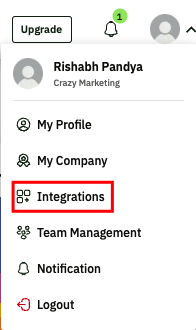
Click on the profile symbol in the top-right corner of the dashboard & Select Integrations from the menu.
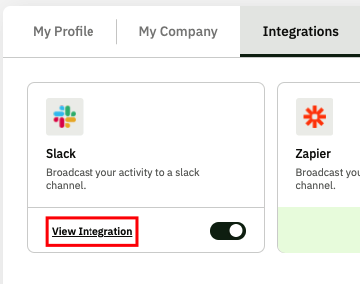
Locate the Slack option. & Click on View Integration and then select Add a Workspace.
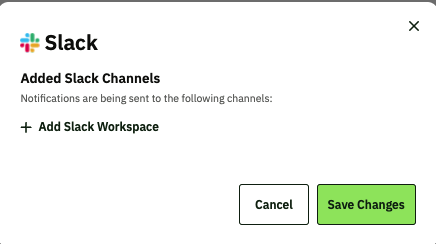
Click on the "Add Slack Workspace" option:
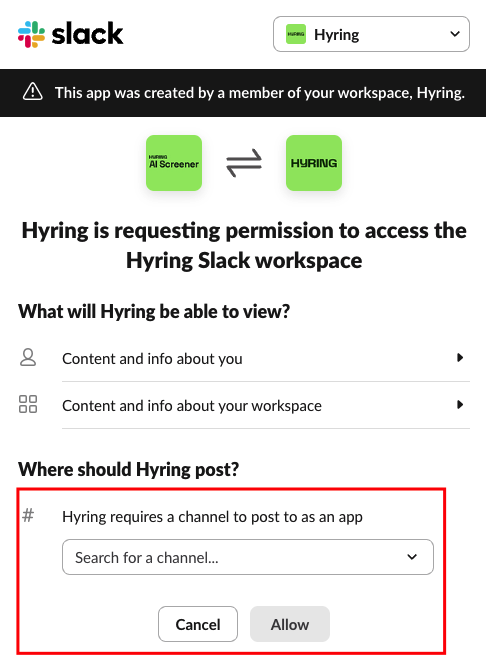
Choose your desired Slack workspace and channel and give the necessary permissions.
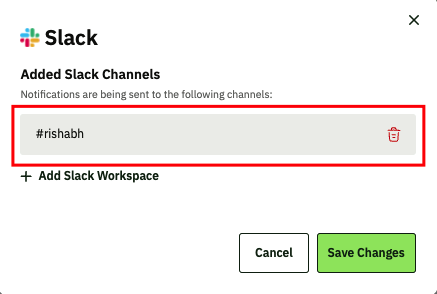
You can cross-check once after adding the channel by clicking on the same view integration button as mentioned above.
If you have any issues feel free to contact support and we'll assist you swiftly.

