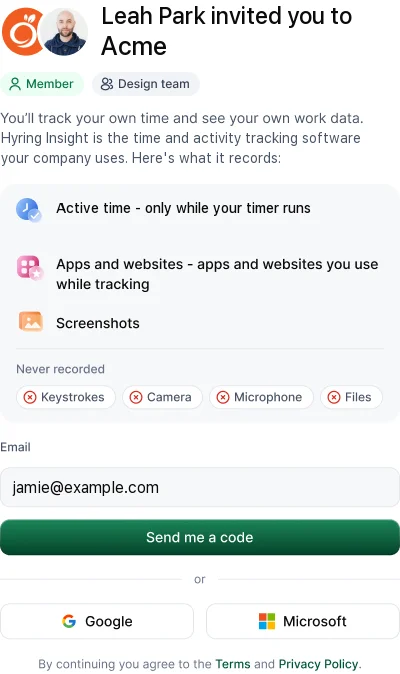
Only what your workspace switches on, and only while your timer is running. You can see all of it in your own view of the web portal.
Always, while tracking
- Time: when each session started and stopped.
- Activity: how much keyboard and mouse input there was, as a percentage. Never what you typed.
- Idle time and meeting time.
If your workspace turns it on
- Apps and websites: app names and website domains, with time in each.
- Screenshots: taken at intervals your admin sets, possibly blurred, and kept for as long as your admin decides.
- Office or remote days (Enterprise): your network's public IP address and router MAC address, used only to tell whether you were on an office network. Never GPS.
Things you add
Work notes, manual time requests with their reasons, kudos and Ask AI questions.
Never
Your keystrokes, passwords, messages, files, screen video, camera, microphone or location. And nothing at all while the timer is stopped.
See it for yourself
Open the web portal. Your timesheet, activity, screenshots and apps show you exactly what your manager sees.