Download Hyring Insight from hyring.com/insight/download. Choose your system, run the installer and sign in.
| System | Download |
|---|---|
| macOS, Apple silicon (M-series chips) | Apple silicon .dmg |
| macOS, Intel | Intel .dmg |
| Windows | Windows installer (.exe) |
| Linux | The Linux package listed on the download page |
The download page lists the current system requirements for each version.
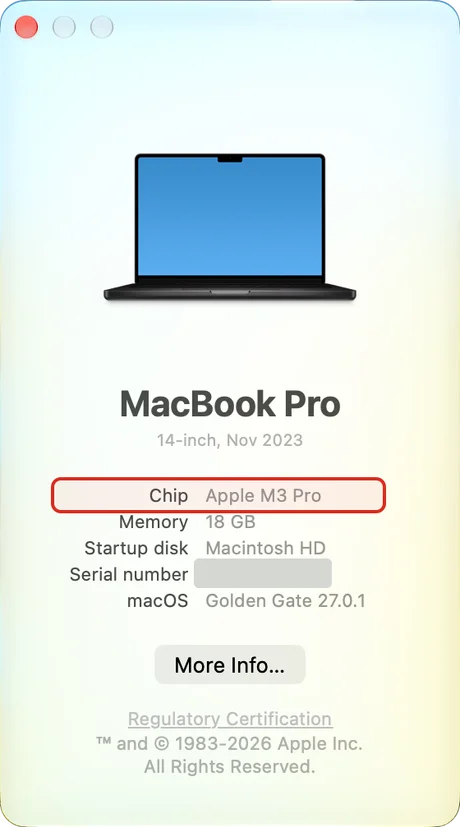
Which Mac do I have?
Open the Apple menu and choose About This Mac. If it says Chip: Apple M1 or later, choose Apple silicon. If it says Processor: Intel, choose Intel. Picking the wrong version is the most common reason an install fails.
Install
- macOS: open the .dmg, drag Hyring Insight into Applications, then open it from there.
- Windows: run the .exe and follow the steps. Hyring Insight starts from the system tray.
- Linux: open the package with your software installer, or install it from the terminal.
For IT teams
You can deploy Hyring Insight with your device management tool. Hyring Insight never hides itself: it always shows in the menu bar or tray, so people can see when it's tracking.