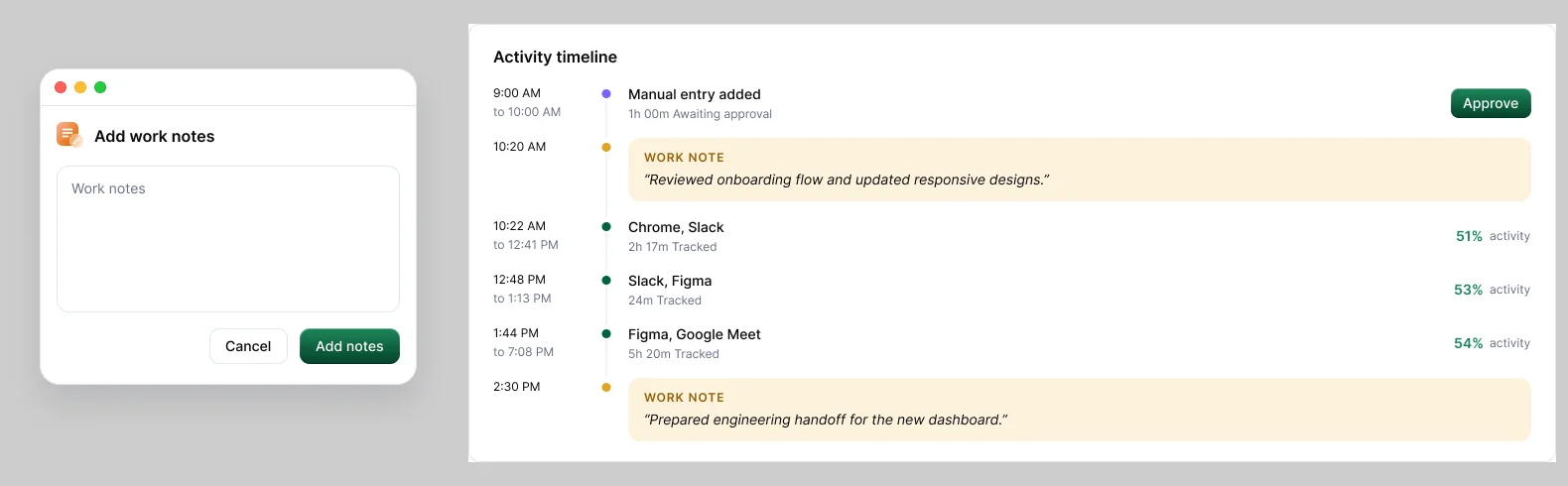
A work note is a short line that says what you were doing. Add one when your record won't explain itself, such as during a long call or a stretch of reading.
Add a note
Choose Add a work note in the timer window, or Add work notes in the ⋮ menu. Type your note and choose Add notes. It appears on your Activity timeline as a WORK NOTE, next to the time it describes.
When a note helps
- Calls, reading, planning or whiteboarding, when activity looks low.
- Work in an unusual tool or at an unusual time.
- Time you're requesting after the fact.
Keep it short and timely
"Client call, pricing review, 30 min" beats three sentences. A note written on the day reads as context; one written weeks later can read as a defence.