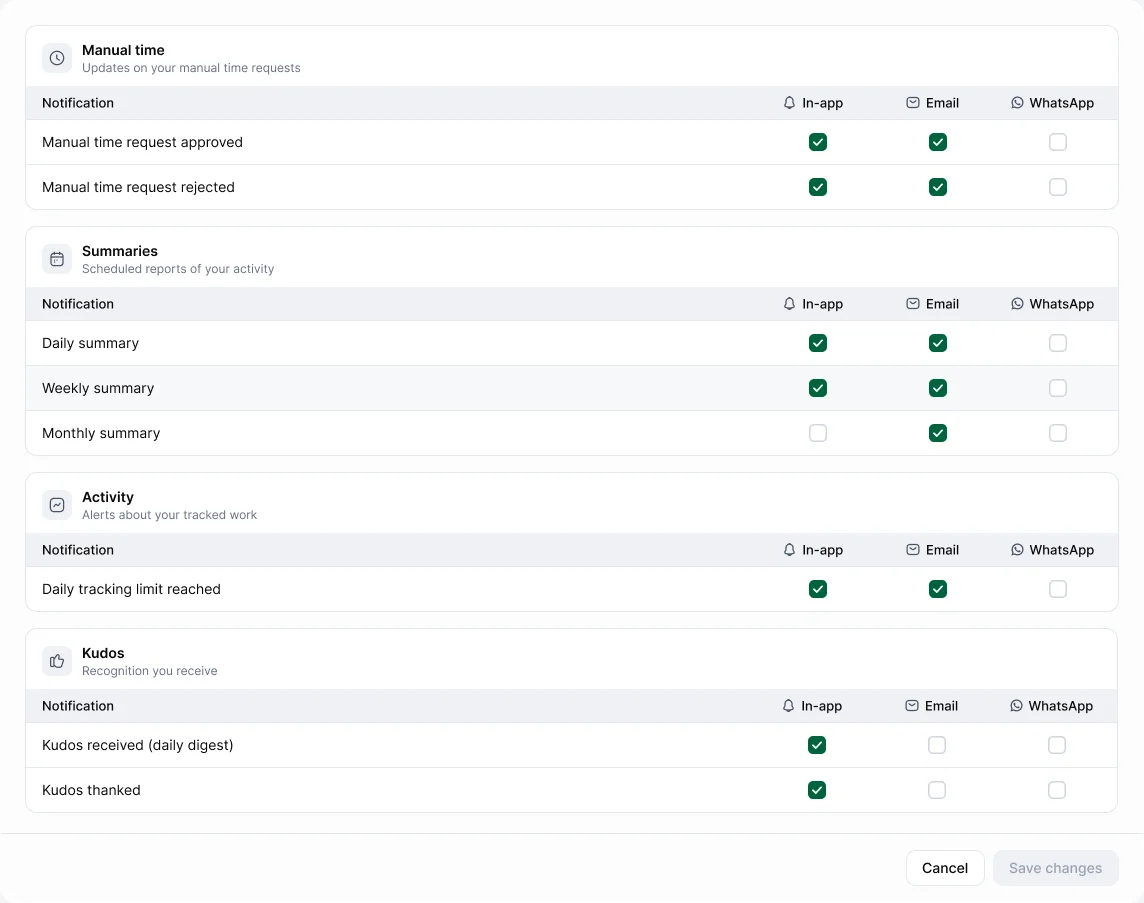
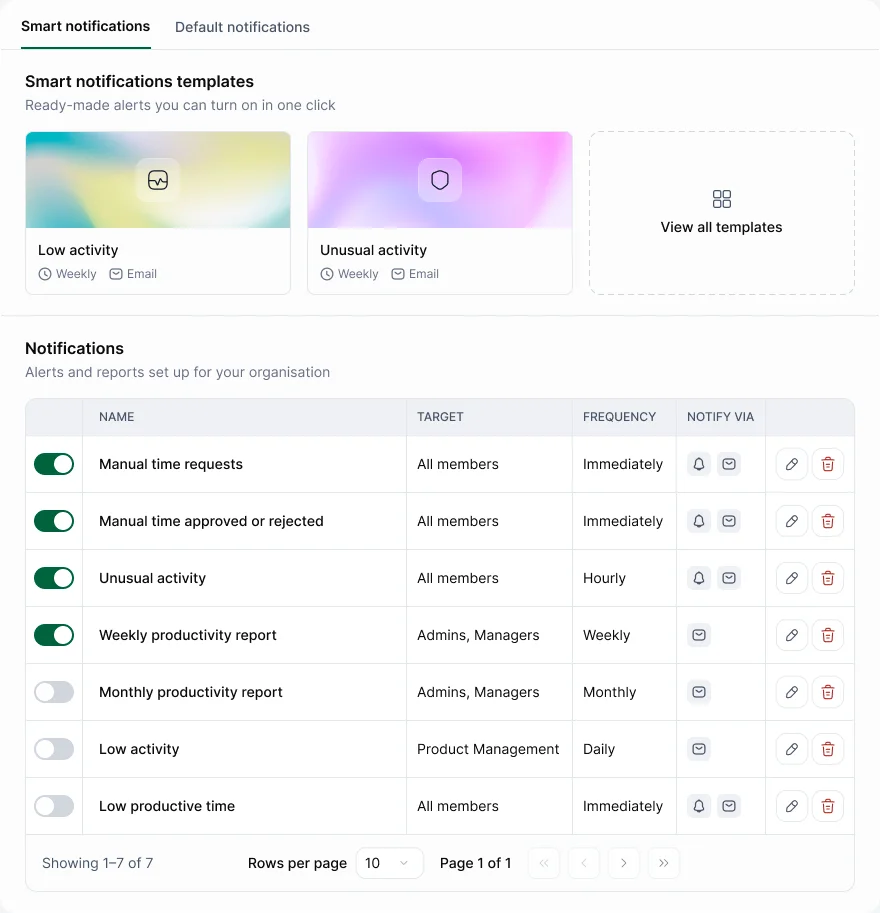
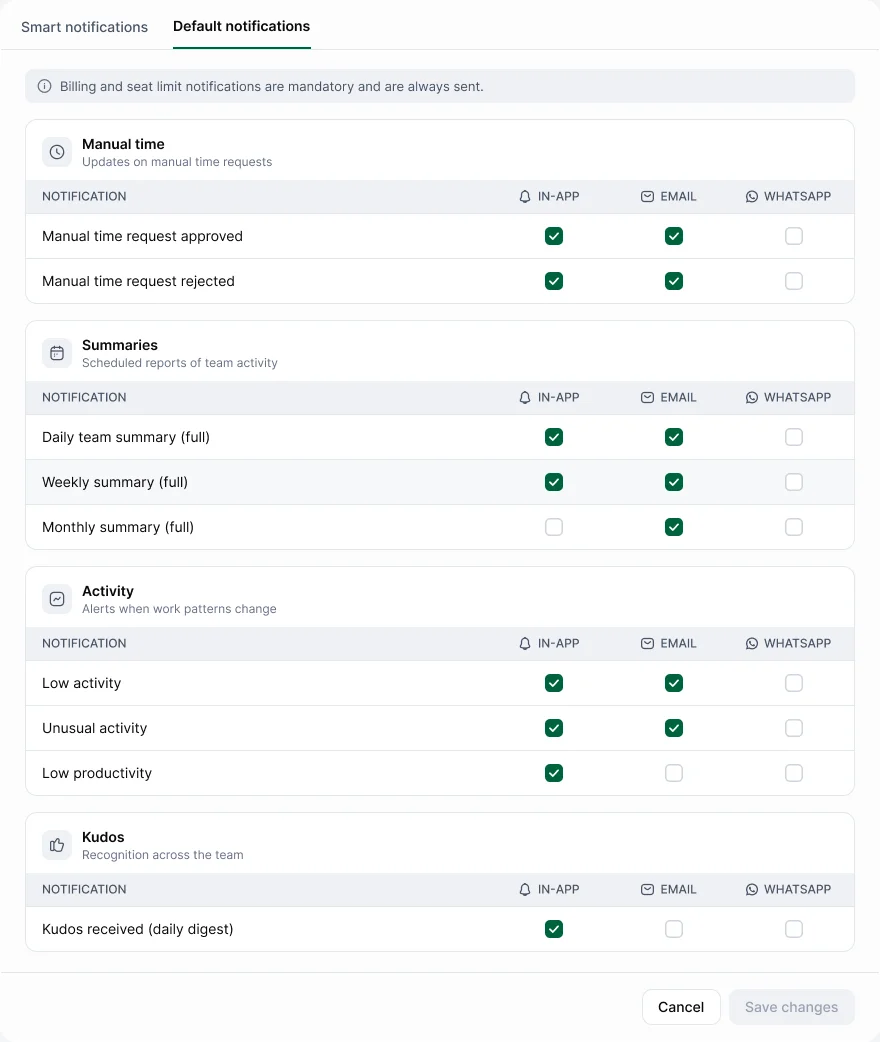
Hyring Insight sends notifications in the app, by email and on WhatsApp. Choose which ones you get, and where, in Settings › Notifications.
For members
Pick channels for each notification: manual time approved or rejected; daily, weekly and monthly summaries; kudos received and thanked.
For admins
- Default notifications: the standard notifications and the channels for each.
- Smart notifications: your own alerts, for example when activity, tracked hours, idle time, manual time or meeting time cross a set level, or when unusual activity is detected. Send them to chosen people or teams.
- Billing and seat-limit notifications are always sent.
In the desktop app, Preferences › Notifications controls pop-ups such as "Timer started or stopped" and "Screenshot taken".