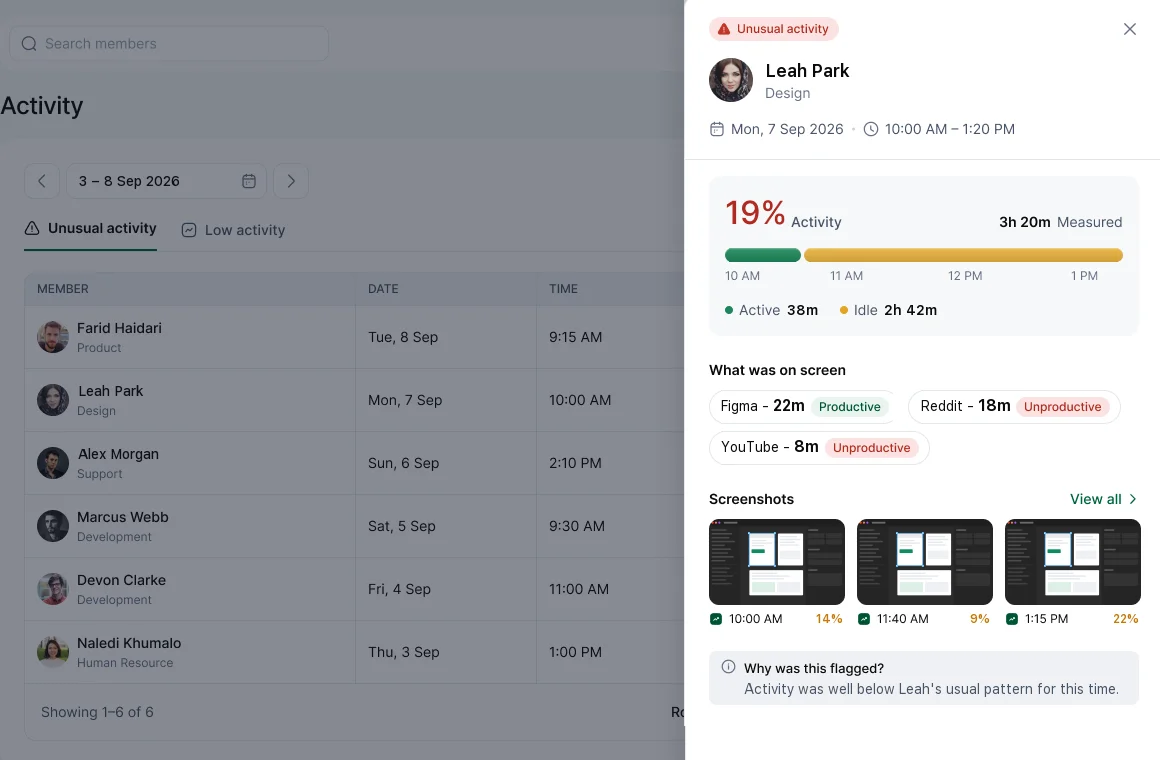
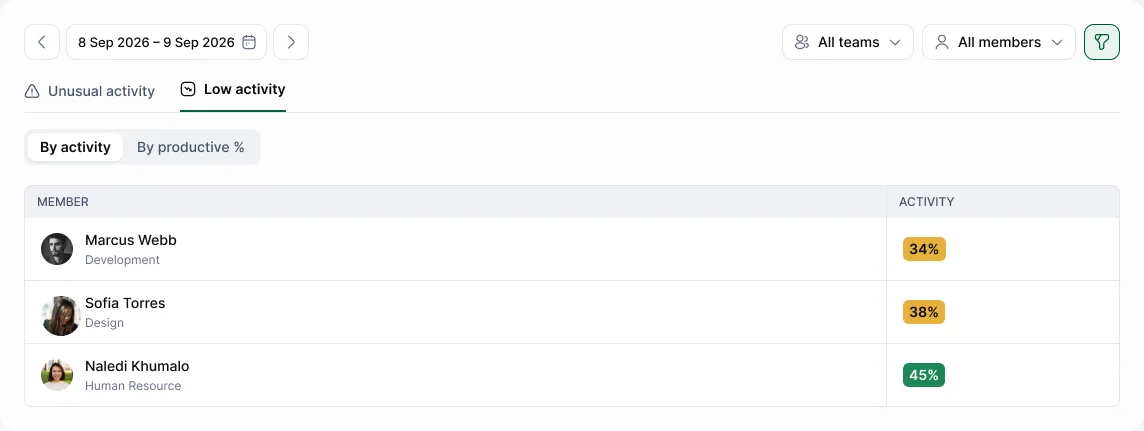
Activity & Productivity › Unusual activity lists stretches of time that look different from a person's usual pattern. Each flag shows what was different, when it happened and for how long.
What can be flagged
Flags cover patterns such as:
- Low activity: a long stretch with very little keyboard or mouse input.
- Low productivity: most of the time spent in apps classed as Unproductive.
- Work outside usual hours: late evenings, early mornings or non-working days.
- Sudden changes: hours or activity that are very different from the person's recent weeks.
- Possible fake input: regular, machine-like mouse or keyboard patterns, such as those from a mouse jiggler. See Does Hyring Insight detect mouse jigglers and fake input?.
- Manual time patterns: large manual entries added late or without a reason.
Flags compare each person with their own usual pattern, never with colleagues.
Two tabs
- Unusual activity: each flagged stretch. Choose View to open the details, including screenshots from that time.
- Low activity: people whose activity or productivity is low for the chosen period. Switch between By activity and By productive %.