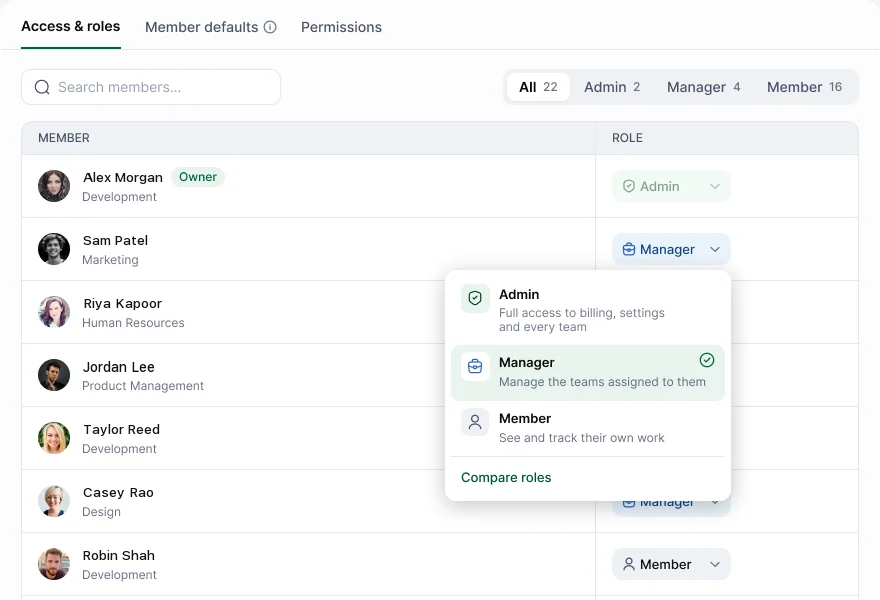
Hyring Insight has three roles. Admin has full access to billing, settings and every team. Manager manages the teams assigned to them. Member sees and tracks their own work.
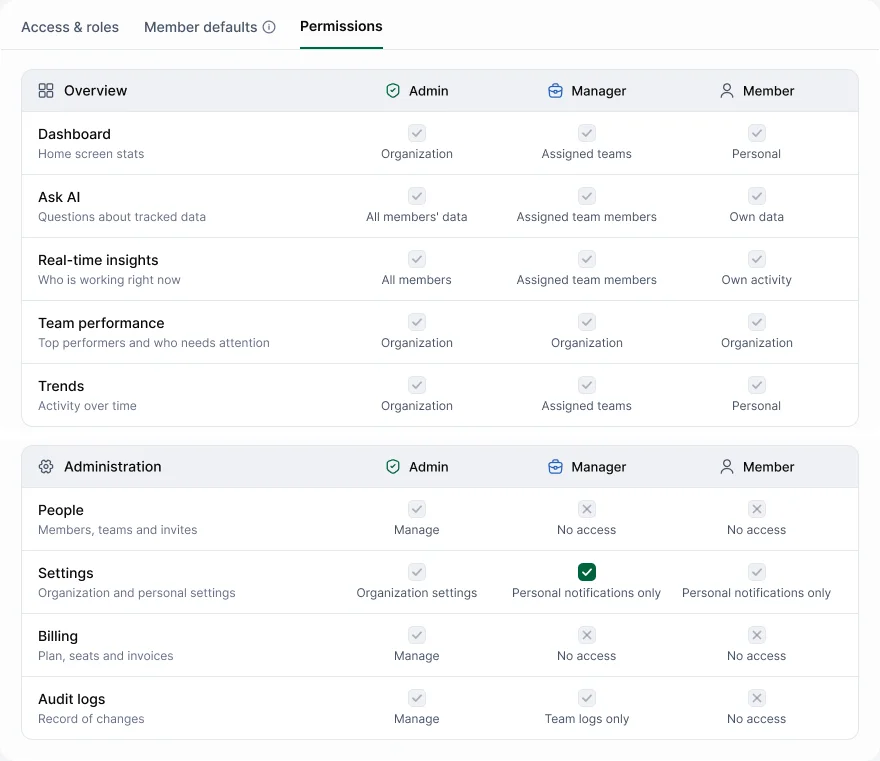
| Area | Member | Manager | Admin |
|---|---|---|---|
| Dashboard, activity, screenshots, apps | Own, plus the Team snapshot on the Dashboard | Assigned teams | Everyone |
| Timesheets and requests | Own | Assigned teams | Everyone |
| Reports | Own | Assigned teams | Everyone |
| Ask AI | Own data | Assigned team members | Everyone |
| People (members, teams, invites) | No access | No access | Manage |
| Settings | Own notifications only | Own notifications only | Everything |
| Billing | No access | No access | Manage |
| Audit logs, including Ask AI usage | No access | No access | Everything |
The person who created the workspace has an Owner badge.
Change someone's role
Go to Settings › Member › Access & roles and pick a role from the person's row. Choose Compare roles in the menu to see how they differ. The change applies straight away and is recorded in the audit log.
See the full list
Settings › Member › Permissions lists what Admins, Managers and Members can do in every area.
Give people the least access they need. A team lead usually needs Manager, not Admin.