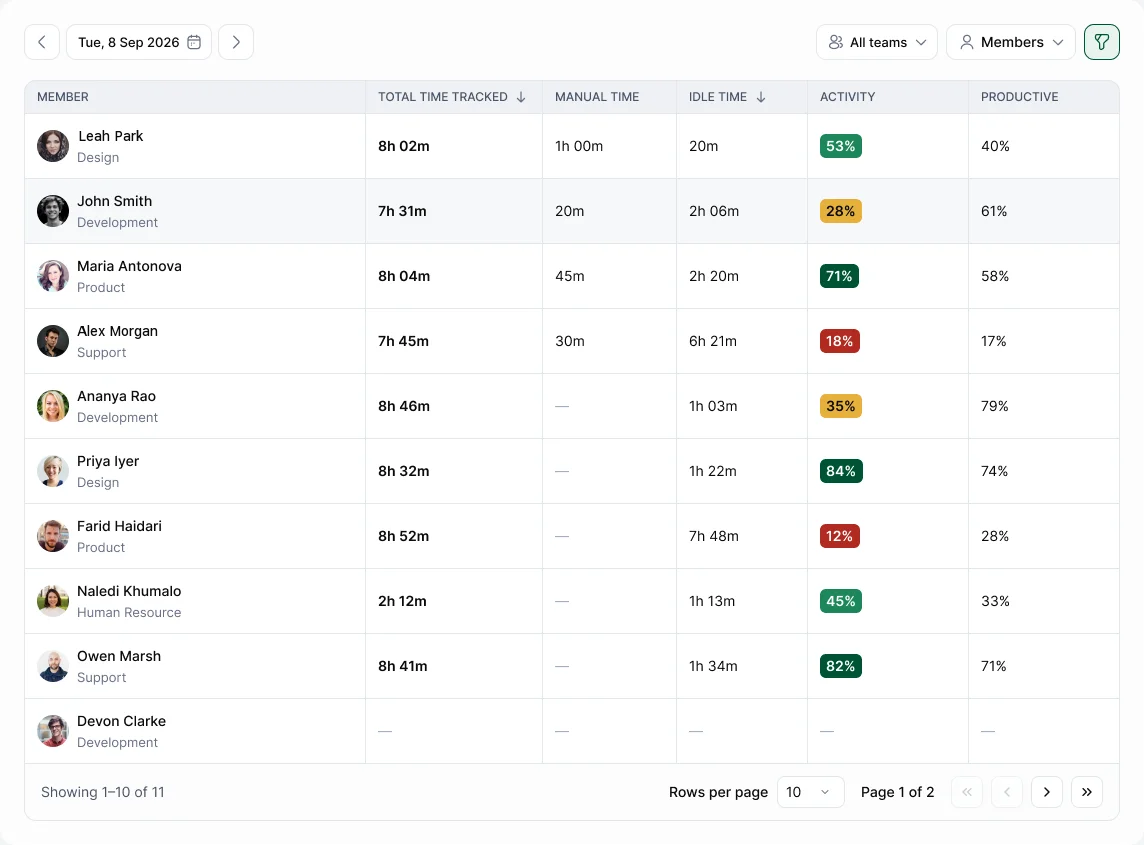
Go to Activity & Productivity › Overview. It shows worked time, activity and productivity for each person in your teams. Open a person to see their day.
The timeline
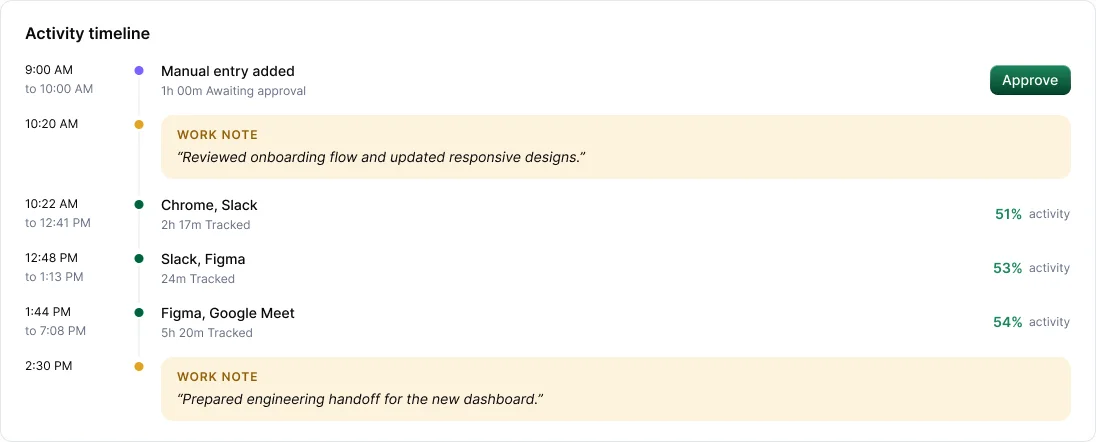
One line per day: start, sessions, breaks, idle time, meetings, manual time and work notes, with the apps used in each stretch. It's the quickest way to understand someone's day before asking about it.
From Overview you can
- Filter by team or person, and change the date.
- Read the person's AI summary (Starter and above): one line on the day and what they worked on.
- Jump to that person's screenshots, apps or unusual activity.