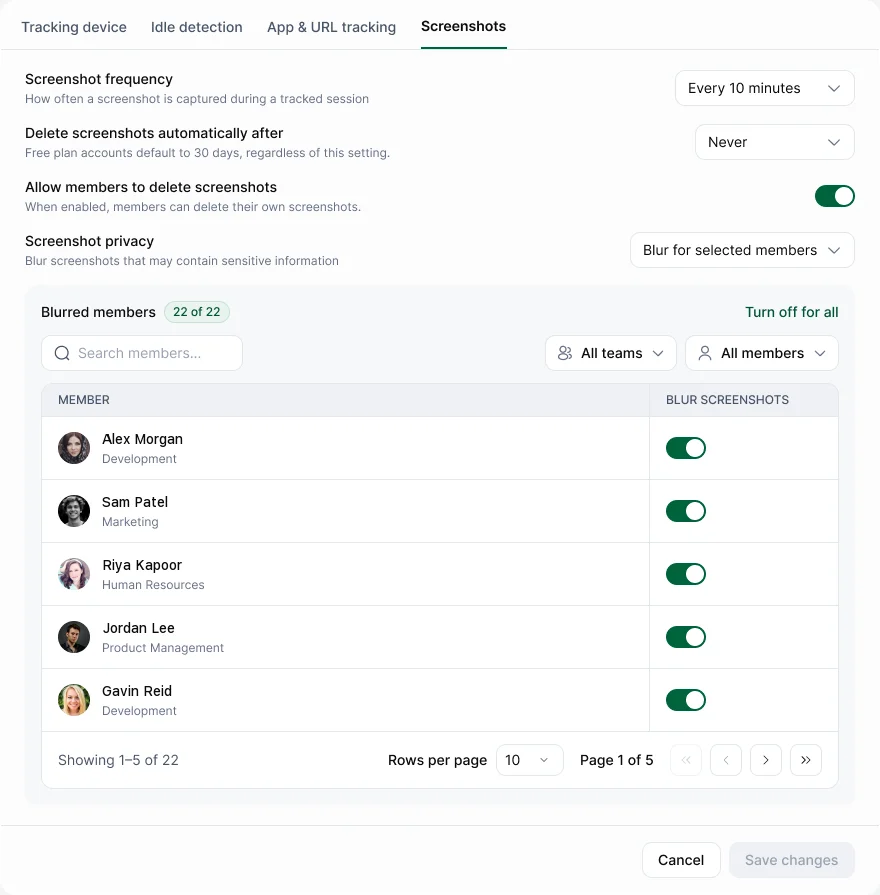
Go to Settings › Tracking & monitoring › Screenshots.
| Setting | What it does | Default |
|---|---|---|
| Screenshot frequency | How often captures are taken during tracked time | Every 10 minutes |
| Delete screenshots automatically after | How long screenshots are kept. You can change it on Pro and Enterprise | Never on Pro and Enterprise. Starter: 1 year. Free: 30 days |
| Allow members to delete screenshots | People can delete their own | Off |
| Screenshot privacy | Blur screenshots for selected members | Off |
| Turn off for all | Remove blur for everyone | — |
Our advice
- Blur screenshots for roles that handle sensitive data, such as HR or finance.
- On Pro and Enterprise, set an automatic delete period. 30 to 90 days covers most reviews.