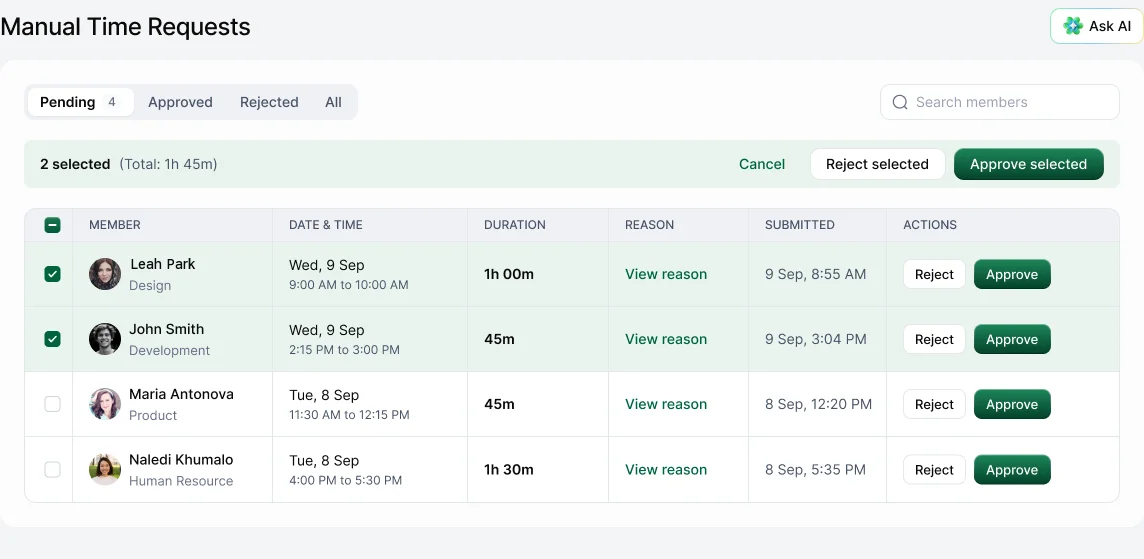
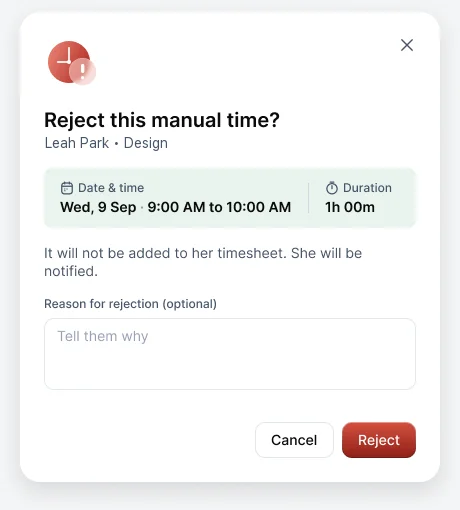
Open Timesheets › Requests (Manual Time Requests). Review each request and choose Approve or Reject. If you reject a request, you can add a reason, which the person can see.
Tabs
Pending, Approved, Rejected and All. The number next to Requests in the sidebar shows what's waiting.
Approve or reject in bulk
Tick several requests. The bar shows how many you've selected and their total time, with Approve selected and Reject selected.
Reviewing well
- Open the person's timeline for that day. A work note, a meeting or the screenshots often explain the gap.
- Changed your mind? Use Undo on an approved or rejected request to send it back to Pending.
Who approves
Set this in Settings › Time & productivity › Manual time under Approver: Admin, Manager, Self, or a mix.