Go to Timesheets. Choose Daily, Weekly or Calendar at the top, and use the arrows to move between dates.
Daily
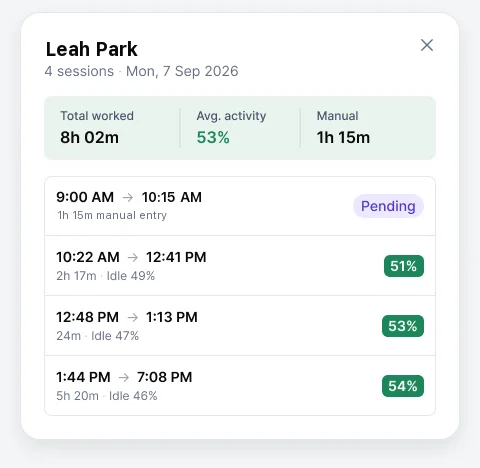
One row per person for the chosen day, showing start and finish times, worked time, average activity, and manual time with its status. Choose View sessions to see when each session started and stopped, including pending manual time.
Weekly
Worked time per person per day, with a weekly total.
Calendar
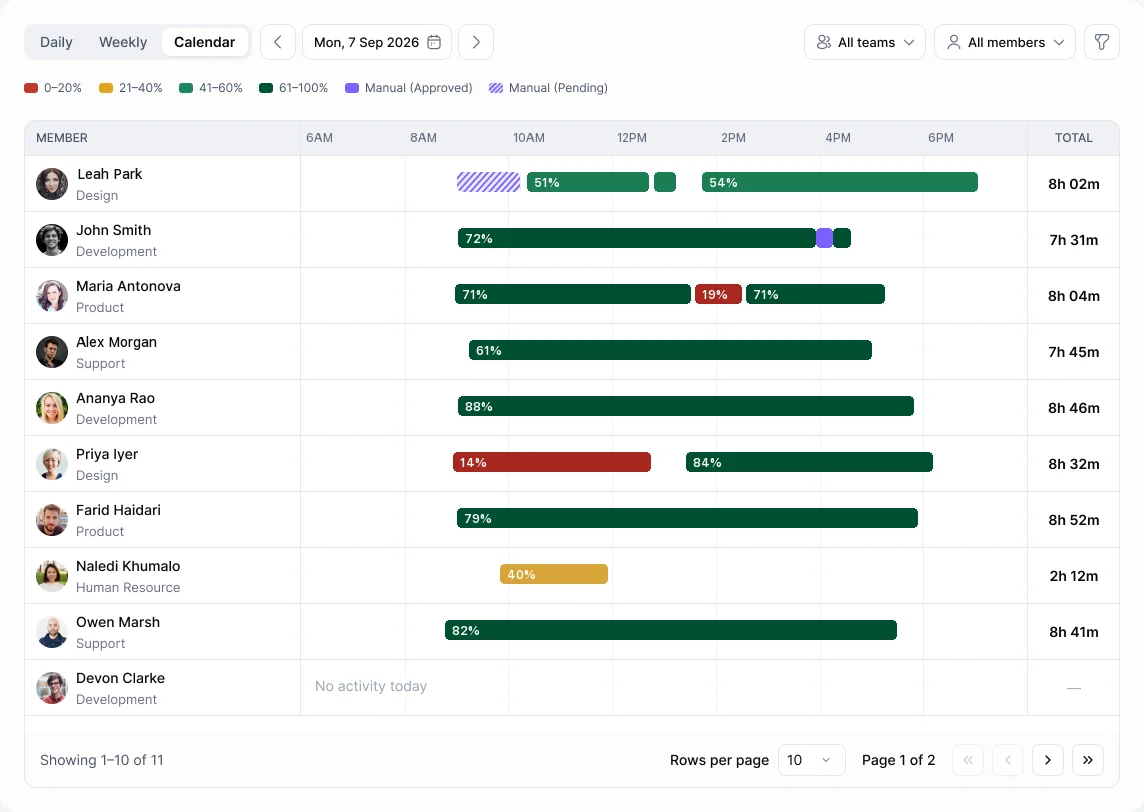
Each person's day drawn as bars: tracked time, Manual (Approved) and Manual (Pending), shown striped.
What counts in the total
Tracked sessions, plus manual time once it's approved. Pending and rejected requests aren't included.
Members see their own timesheet. Managers see their teams. Admins see everyone.