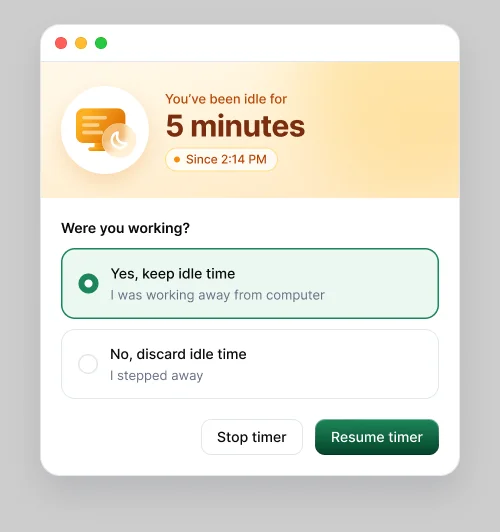
After a few minutes with no keyboard or mouse input, the timer pauses and Hyring Insight asks: Were you working?
When you come back you'll see how long you've been idle, for example "You've been idle for 10 minutes", and when it started. Choose:
- Yes, keep idle time if you were working away from your computer, such as on a call.
- No, discard idle time if you stepped away.
Then choose Resume timer to carry on, or Stop timer if you're done.
If you don't answer, your workspace's Keep idle time setting decides: the idle time is kept if it's on, and discarded if it's off.
Your admin sets how long counts as idle. The default is 10 minutes.
Going to lunch? Stop the timer instead. It's cleaner than idle time.