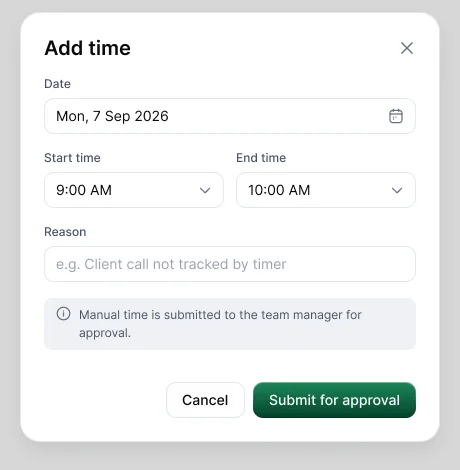
Choose Add time in Timesheets, or Add/Edit time in the desktop app's ⋮ menu. Enter the date, start and end times and a reason, then choose Submit for approval.
What happens next
- Your request goes to whoever approves manual time in your workspace, usually your manager.
- You get a notification when it's approved or rejected.
- Approved time is added to your timesheet. Rejected time isn't, and you can see any reason the reviewer gave.
Tips for a quick approval
- Enter the actual times, not a rounded block.
- Write a specific reason, such as "Client call not tracked by timer".
- Submit within a day.
If you can't add time, your admin may have set manual time to Deny for you. Ask them, or add a work note instead.