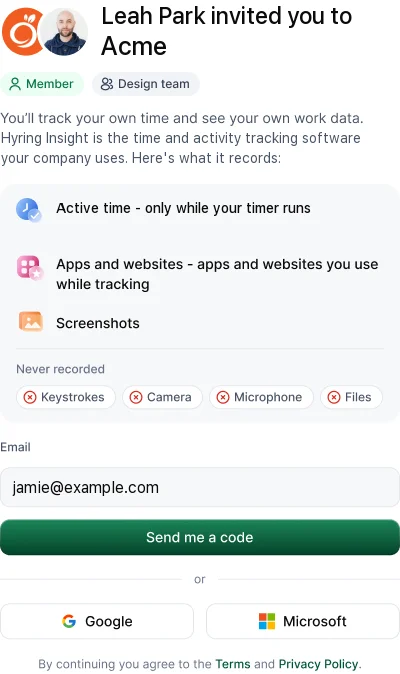
Open the invite email and follow the link. Read what Hyring Insight records, sign in with Google, Microsoft or a code sent to your email, then install the desktop app.
- Open the email from Hyring Insight and follow the link. Use the work email address the invite was sent to.
- Read the page that explains what Hyring Insight records and what it never records.
- Sign in with Continue with Google, Continue with Microsoft, or Send me a code to your email. There's no password.
- Download the desktop app. See How do I install the desktop app?.
- Sign in to the app and choose Start tracking when you begin work.
Your Dashboard shows a short Set up Hyring Insight list: install Hyring Insight, start tracking, add your photo, meet your companion and try focus music.
If the link has expired, ask your admin to resend the invite. Don't sign up separately, or you'll create a new, empty workspace.