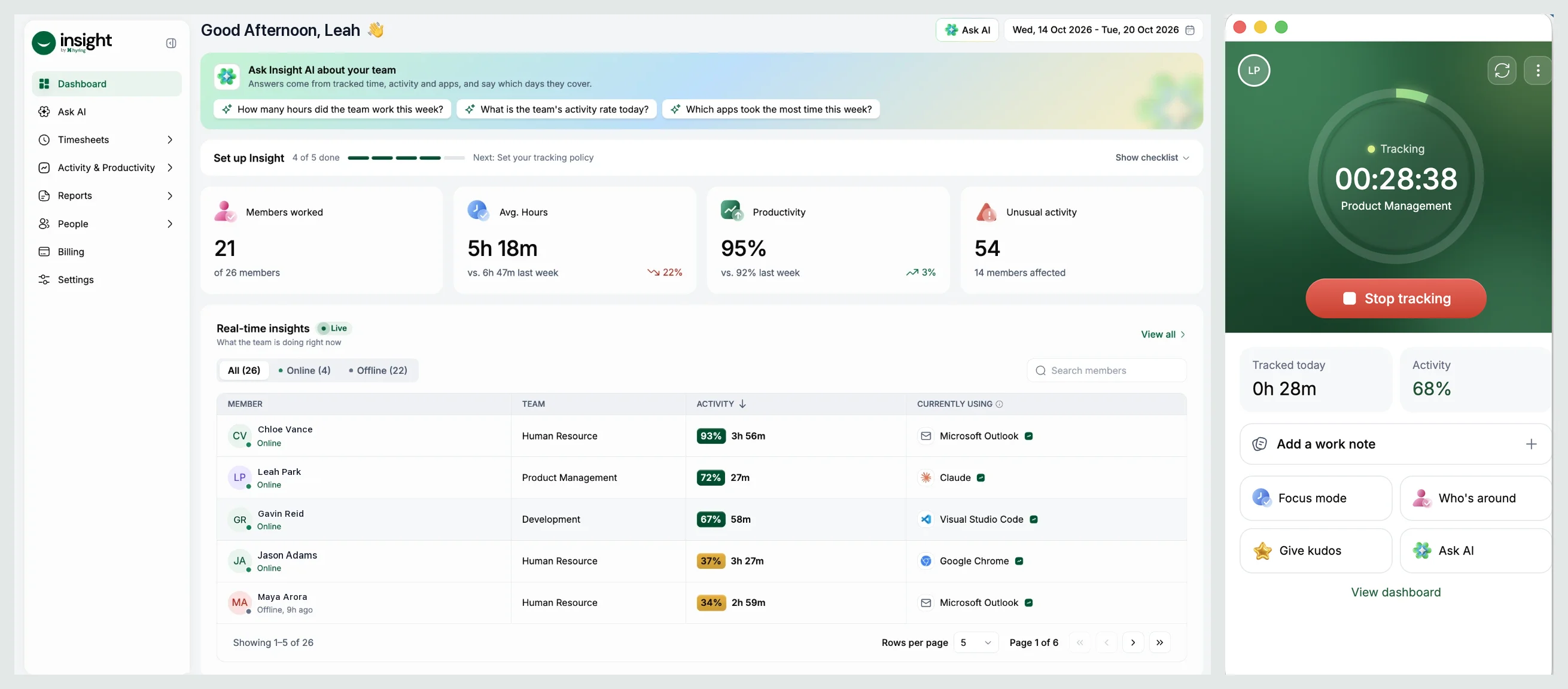
Hyring Insight is time-tracking software with open, transparent employee monitoring. It records worked time, activity, apps and websites, and optional screenshots, then uses AI to explain the workday in plain language.
Hyring Insight has two parts:
- The desktop app for macOS, Windows and Linux. It runs the timer, your companion, focus music and Ask AI for your own day.
- The web portal at insight.hyring.com. Admins, managers and members use it for timesheets, activity, reports and settings.
The three numbers you'll see everywhere
- Worked time: how long the timer ran, minus any idle time your workspace doesn't keep, plus approved manual time.
- Activity: the share of worked time with keyboard or mouse input, shown as a percentage.
- Productivity: the share of worked time spent in apps and websites labelled Productive.
What do worked time, activity and productivity mean? covers each one in detail.
What Hyring Insight never does
- Run hidden, or in stealth mode.
- Log what you type, your passwords or your messages.
- Record screen video, or use your camera or microphone.
- Track anything while the timer is stopped.
Who sees what
Everyone sees their own data first. Managers see the teams they manage. Admins see the whole workspace. See What can Admins, Managers and Members see and do?.